

Ellie Cohen

Eddie Cai
Scaleway is a European sovereign cloud and AI provider offering comprehensive cloud capabilities from high-performance GPUs and managed GenAI inference to Kubernetes, managed databases, data warehousing, and object storage. For teams running Scaleway alongside other cloud providers, there is no central place to correlate Scaleway data with the rest of their infrastructure.
The Datadog Scaleway integration brings the provider’s telemetry data into Datadog Log Management. Teams can collect logs from Scaleway Cockpit and Scaleway Audit Trail, deploy the Datadog Agent on Scaleway compute instances, and monitor Kubernetes workloads from the same platform they already use for the rest of their environment.
In this post, you’ll learn how to:
- Collect logs from Scaleway Cockpit and Scaleway Audit Trail
- Deploy the Datadog Agent on Scaleway instances
- Visualize and alert on Scaleway infrastructure
Collect logs from Scaleway Cockpit and Scaleway Audit Trail
Scaleway separates logs across two systems. Scaleway Cockpit captures resource-level activity, while Scaleway Audit Trail records account-level API calls and configuration changes. Correlating an infrastructure change with an application issue means switching between systems.
The Scaleway integration forwards logs from both sources into Datadog Log Management. You can search logs, build alerts, and correlate events with infrastructure metrics and traces from the same time window.
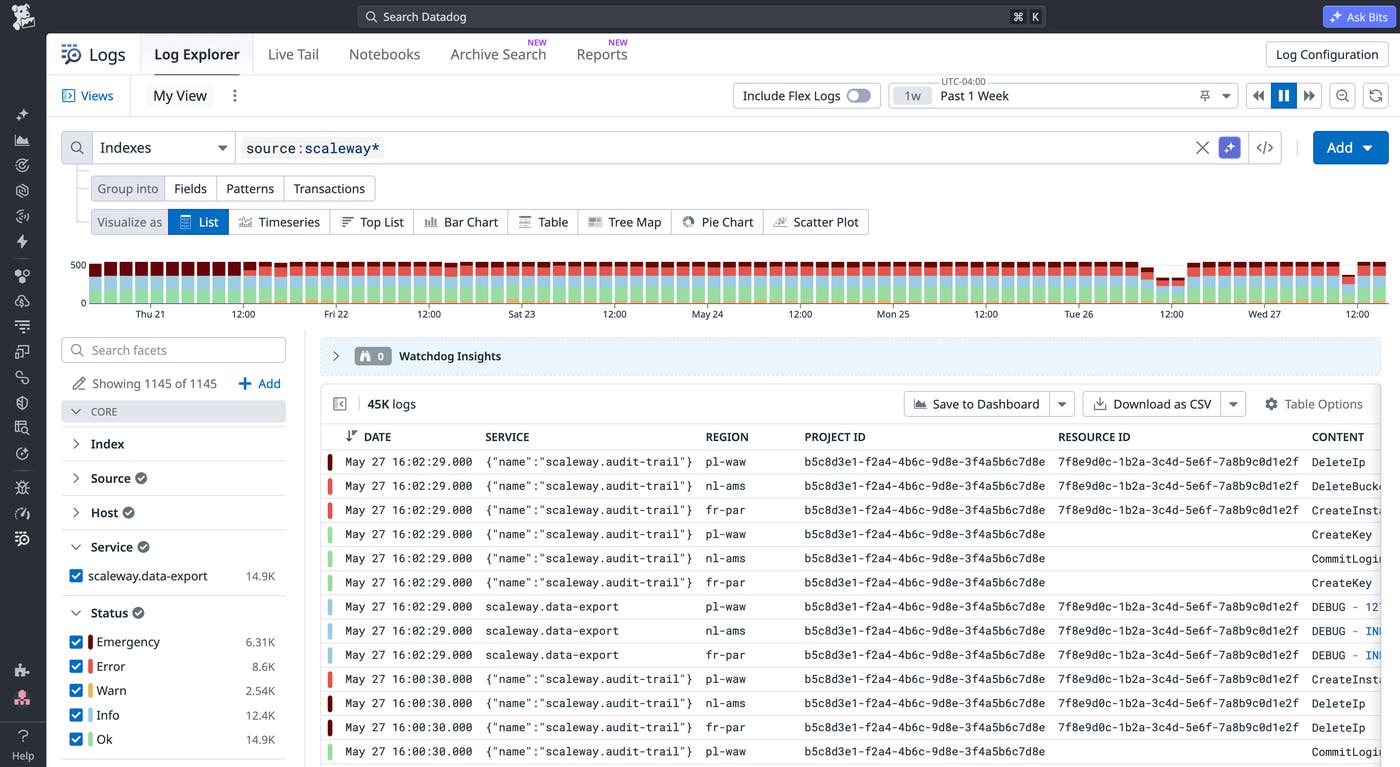
Forward Scaleway Cockpit logs to Datadog Log Management
Scaleway Cockpit is the centralized log source for resource-level activity across your infrastructure. These logs surface issues that application monitoring alone may miss. For example, a database connection failure that appears in Cockpit logs can help explain an application outage before you begin tracing requests across services.
Once logs reach Datadog, you can filter events by resource tag, create alerts, and view Scaleway data alongside other cloud providers using the out-of-the-box (OOTB) Scaleway dashboard.
Ingest Scaleway Audit Trail events into Datadog
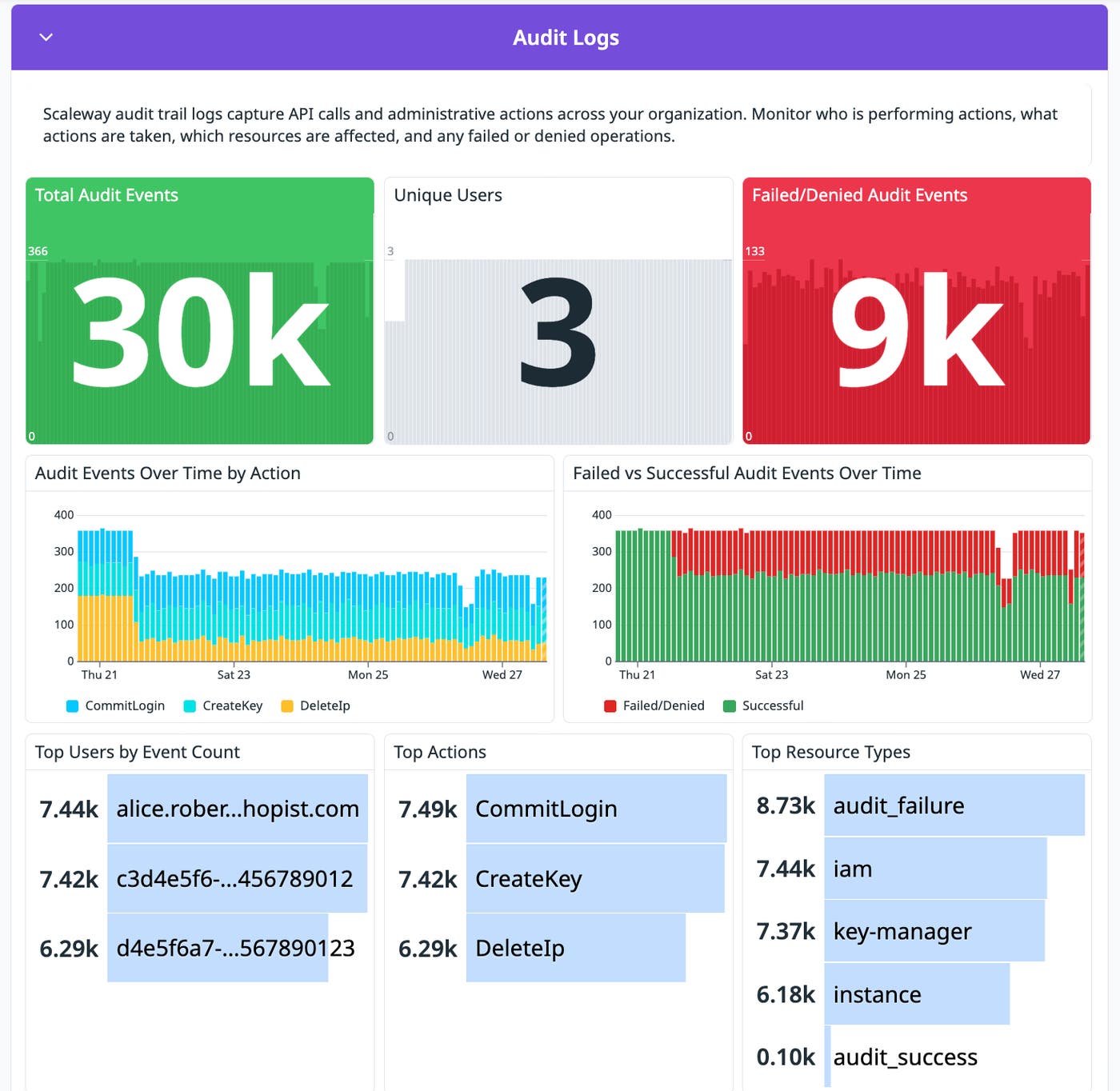
Scaleway Audit Trail records who made a change, which API was called, and when the action occurred. This information is useful when tracing the source of an incident or preparing for a compliance review. Datadog tags Scaleway Audit Trail events by resource type, action, and principal so you can search them alongside infrastructure metrics and application logs.
For example, if a managed database configuration changes shortly before application errors increase, you can search Scaleway Audit Trail events in Datadog to identify the exact change, the user who made it, and whether rolling it back resolves the errors.
Many organizations in regulated industries may opt to use Scaleway to help keep data within the EU and support GDPR-aligned data residency requirements. For these teams, Scaleway Audit Trail data is the primary record for compliance reviews and security investigations. A spike in account-level activity outside business hours may indicate unauthorized access, runaway automation, or an unplanned deployment.
Deploy the Datadog Agent on Scaleway instances
What you observe at the application layer rarely identifies the root cause of infrastructure issues. High latency can result from CPU exhaustion, memory pressure, or storage bottlenecks. The Datadog Agent collects host metrics, distributed traces, and container telemetry data from Scaleway Compute instances so you can correlate application behavior with host-level conditions.
Monitor Kapsule and Kosmos workloads with the Datadog Agent
On Kapsule and Kosmos clusters, deploy the Agent as a DaemonSet to collect pod-level CPU, memory, and network metrics alongside Kubernetes events and container logs.
For example, when latency spikes on a Kapsule service, you can move from a slow trace in Datadog Application Performance Monitoring to the affected pod’s metrics. From there, you can determine whether the slowdown comes from CPU throttling, a memory limit, or the application itself.
If host metrics remain healthy while application errors continue, enable the PostgreSQL or Redis Agent integrations to collect service-level metrics. Logs from both services already flow to Datadog through the Scaleway integration.
Visualize and alert on Scaleway infrastructure
Teams often deploy workloads to a new cloud provider before dashboards and alert thresholds are configured. The Scaleway integration includes OOTB dashboards and prebuilt monitor templates so you can start monitoring your infrastructure without building from scratch.
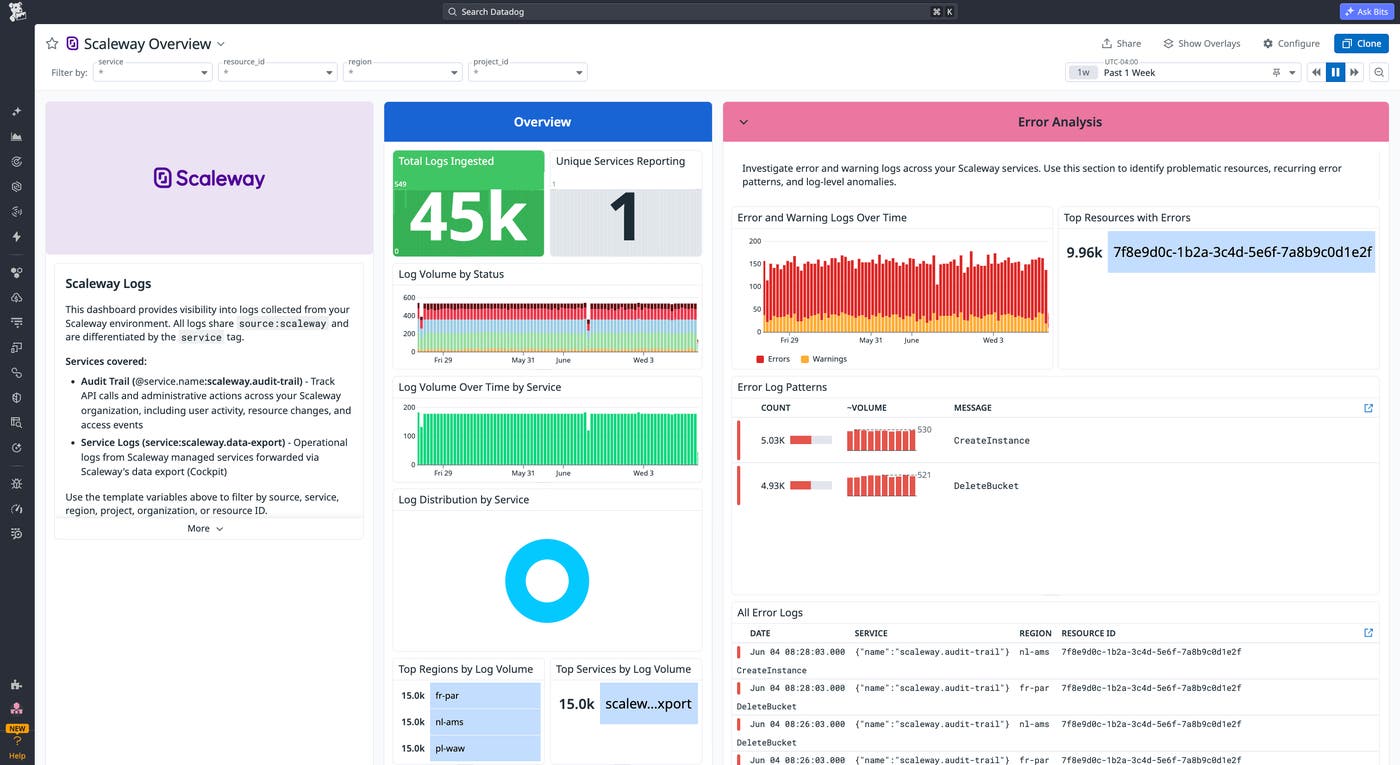
Explore the OOTB Scaleway dashboard
The Scaleway overview dashboard gives on-call engineers a single view of platform health across compute, logs, and resources. You can place it alongside your other cloud provider dashboards for a consistent layout across environments.
Configure prebuilt monitor templates
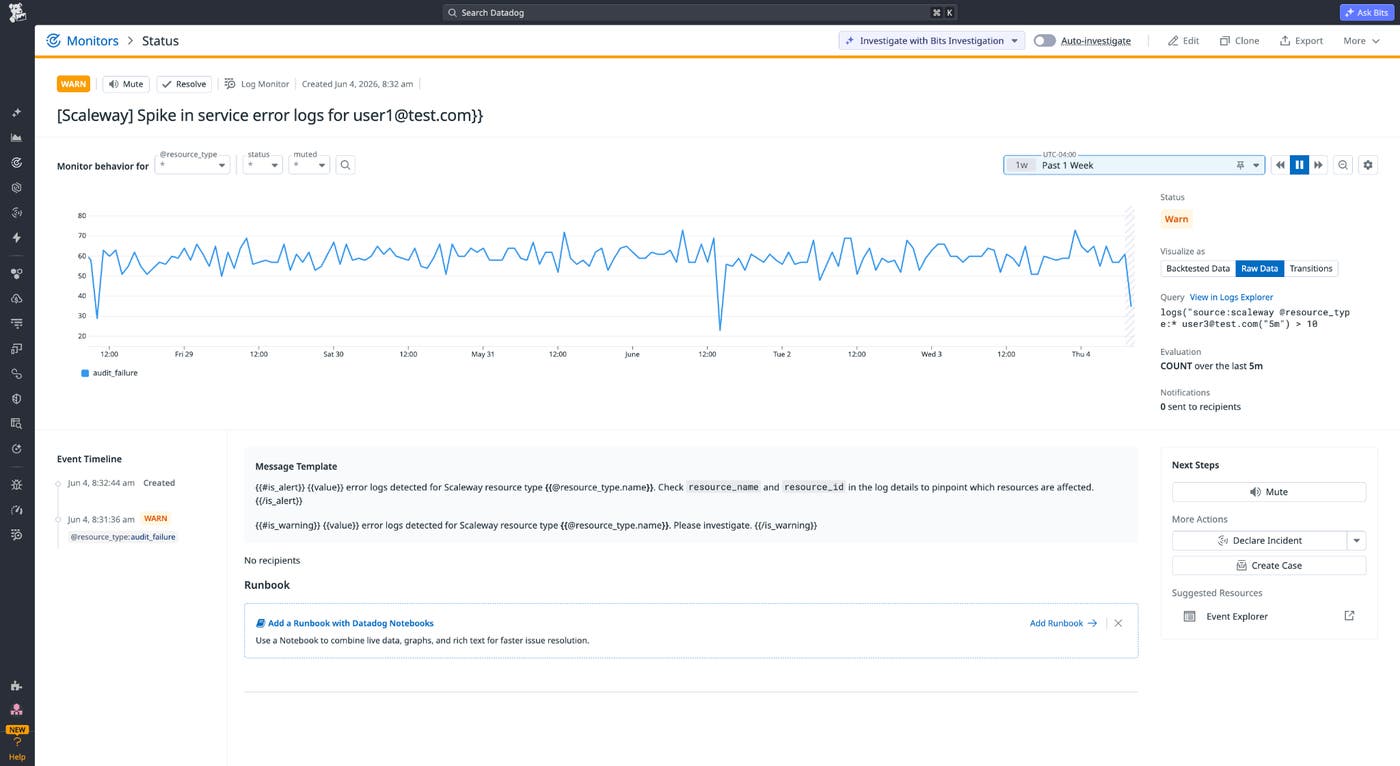
You usually need time to determine which signals to monitor and what thresholds represent normal behavior in a new environment. Prebuilt Scaleway monitor templates provide a starting point before you establish those baselines.
The integration includes two prebuilt monitor templates. One triggers when service error logs spike. The other triggers when Datadog detects one or more critical events in your Scaleway environment.
You can enable a template, adjust the threshold for your workloads, and route alerts to PagerDuty, Slack, or email. As traffic patterns become clearer, you can refine thresholds and build monitors specific to your Scaleway deployments.
Start monitoring Scaleway with Datadog
The Datadog Scaleway integration gives you a single place to monitor Scaleway alongside the rest of your infrastructure. When something goes wrong, you can investigate incidents across Scaleway and other cloud providers without switching between tools or building dashboards from scratch.
To learn more about the Datadog Scaleway integration, see our integration documentation.
If you don’t already have a Datadog account, sign up for a free 14-day trial to start monitoring Scaleway.
