
Matthieu Roux
Many organizations have hundreds or thousands of API endpoints across their services, each of which handles authentication differently. For example, one service might rely on standard headers like Authorization: Bearer, while another uses an API key, and a third uses a custom JSON Web Token header with mechanisms or naming conventions specific to the team that built it. As these systems evolve, it becomes difficult for security teams to understand which API endpoints actually require authentication, and which are exposed. This in turn makes it harder to identify and address the greatest risks.
Datadog App & API Protection includes improved API authentication detection to help you detect issues with your APIs’ security posture more confidently, and with less manual effort. By focusing on provable signals, surfacing detection evidence, and enabling customization for your environment, this update helps security teams reduce ambiguity, cut down false positives, and act on real risks.
In this post, we’ll explore how these improvements help you:
Rely on authentication detection grounded in verifiable evidence
Understand authentication status directly within your API inventory
Rely on authentication detection grounded in evidence
Historically, detection tools have inferred authentication status: If no signal indicating authentication is found, the endpoint is assumed to be unauthenticated. In practice, this approach leads to false positives and leaves teams unsure which findings to trust.
Datadog App & API Protection only reports that an API endpoint is authenticated when there is clear, verifiable evidence (for example, through trace signals, tag mappings, or integration data) and tells you how that determination was made. In addition, Datadog only identifies endpoints as unauthenticated when there is explicit evidence authentication is missing—i.e., the service has traffic that does not match the trace tagging rule you’ve set up in Datadog to detect authentication.
Endpoints lacking evidence to confirm authentication is either present or missing are marked “undetected” so they can be treated separately. This reduces noise, avoids false positives as well as false negatives, and helps teams confidently identify which risks to investigate first.
See authentication status and supporting evidence in the API Inventory
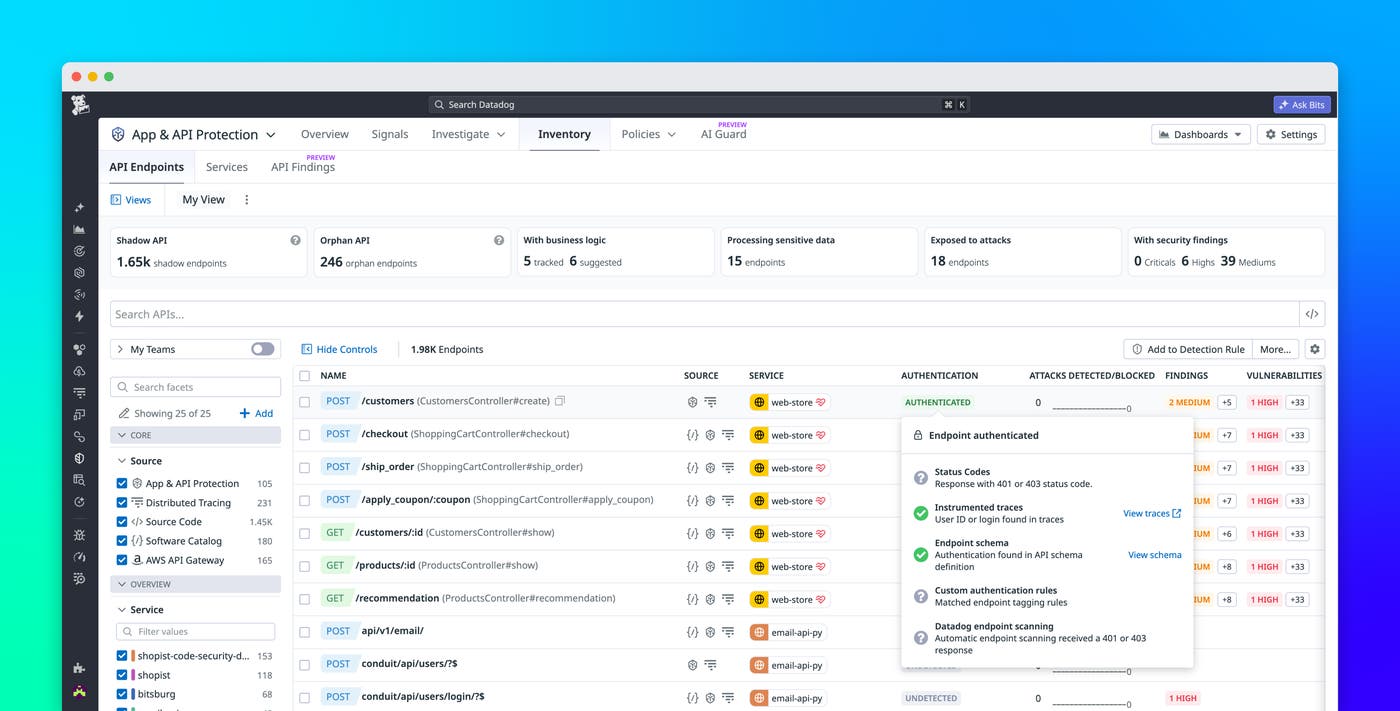
To make authentication posture easier to understand at scale, the API Inventory in App & API Protection includes a dedicated authentication status column. Each endpoint is labeled to indicate whether it is authenticated, unauthenticated, or if authentication is undetected, making it easier to scan large inventories and prioritize investigation.
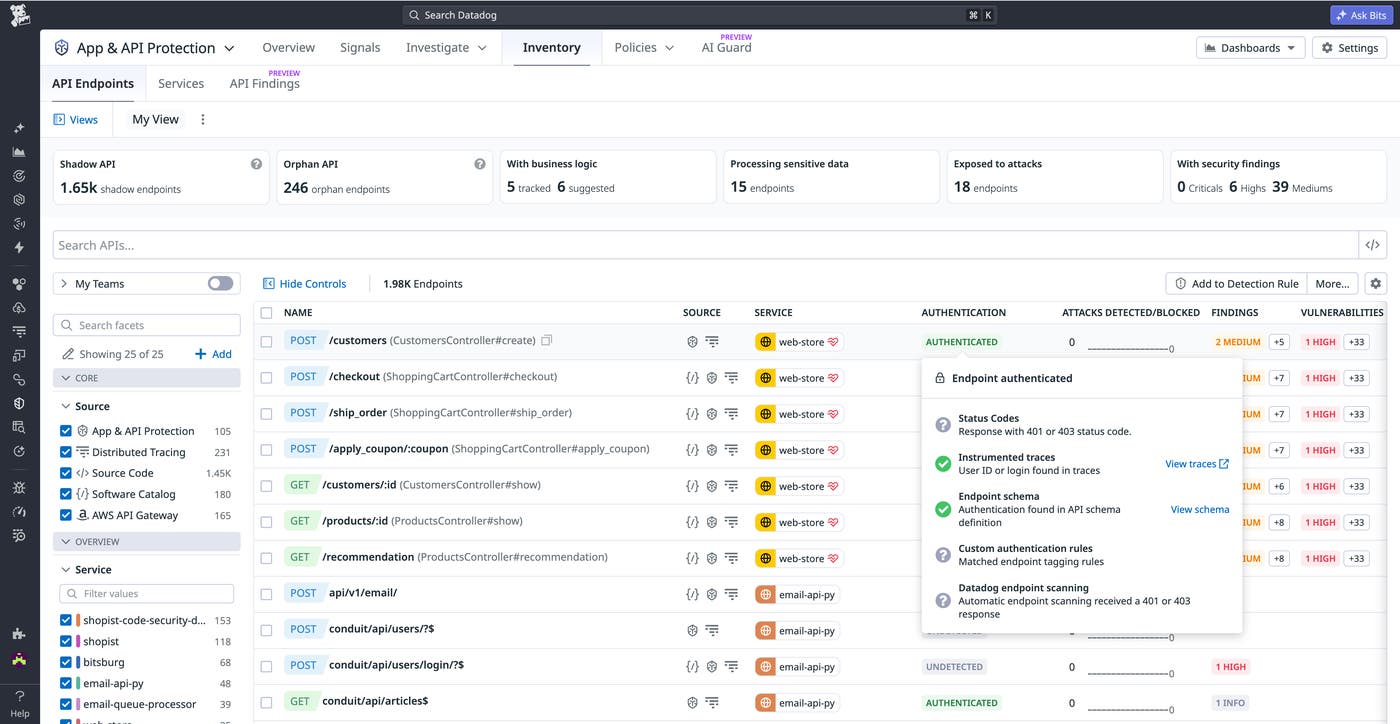
Beyond the status itself, you can inspect the reasoning behind each classification. Hovering over a status reveals which detection method was used and what signals were matched. This additional context helps you quickly determine whether a result reflects a true security posture or a detection gap. You can also click “View traces” or “View schema” to validate the evidence directly in Datadog.
For endpoints where authentication isn’t detected, App & API Protection shows you what signals were evaluated and provides guidance for improving detection coverage.
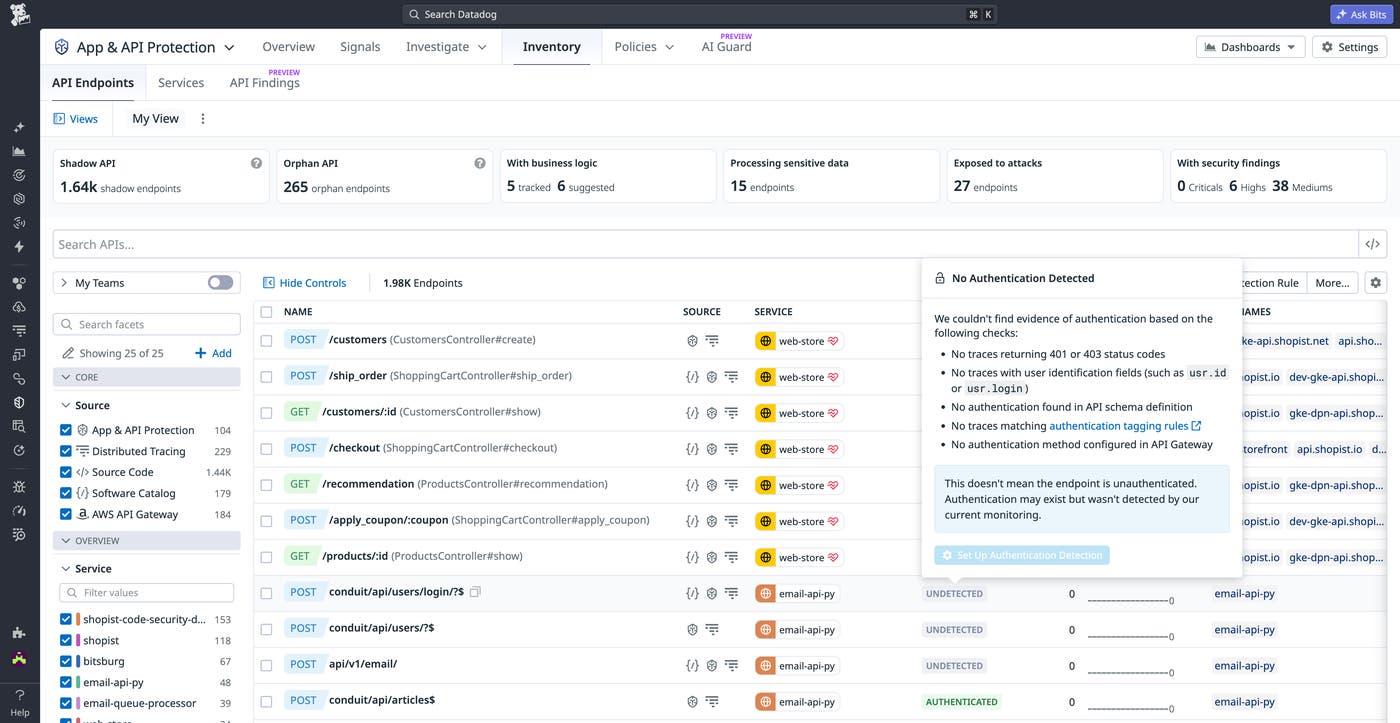
This combination of high-level visibility and detailed evidence helps teams assess API authentication posture and investigate findings without leaving the API Inventory view.
Customize authentication detection with endpoint tagging rules
Datadog provides out-of-the-box detection for common authentication patterns, but many organizations use nonstandard authentication mechanisms involving custom headers, tokens, or tagging conventions. Detecting these patterns accurately requires additional context and more fine-tuning.
Endpoint tagging rules allow you to define how App & API Protection should identify API authentication in your environment. For example, you can specify that a request should be considered authenticated when a particular header is present or when a span tag matches a defined value. Datadog will automatically apply the detection mechanisms you define, whether that involves existing tags or request-level data.
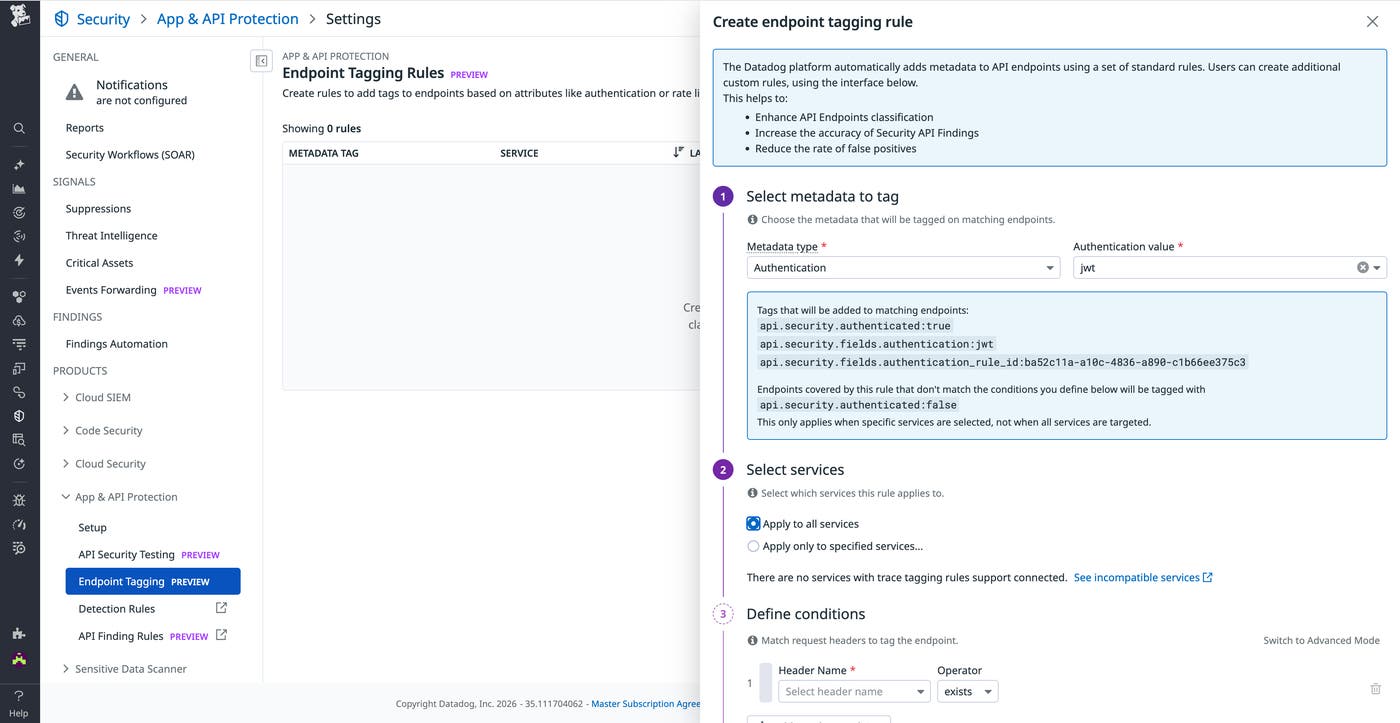
Endpoint tagging rules are delivered through Remote Configuration, so updates take effect immediately without redeployments or tracer changes. This makes it easier to iterate on detection logic as your services evolve.
Datadog also explicitly flags failed checks, marking endpoints as unauthenticated when expected authentication signals are missing. This enables higher-confidence findings for exposed endpoints while maintaining flexibility for services with incomplete instrumentation.
Act on authentication findings with clear next steps
Improving detection accuracy is only part of the challenge; teams also need to understand what to do next. The API Findings list in App & API Protection includes clear guidance on next steps for authentication issues.
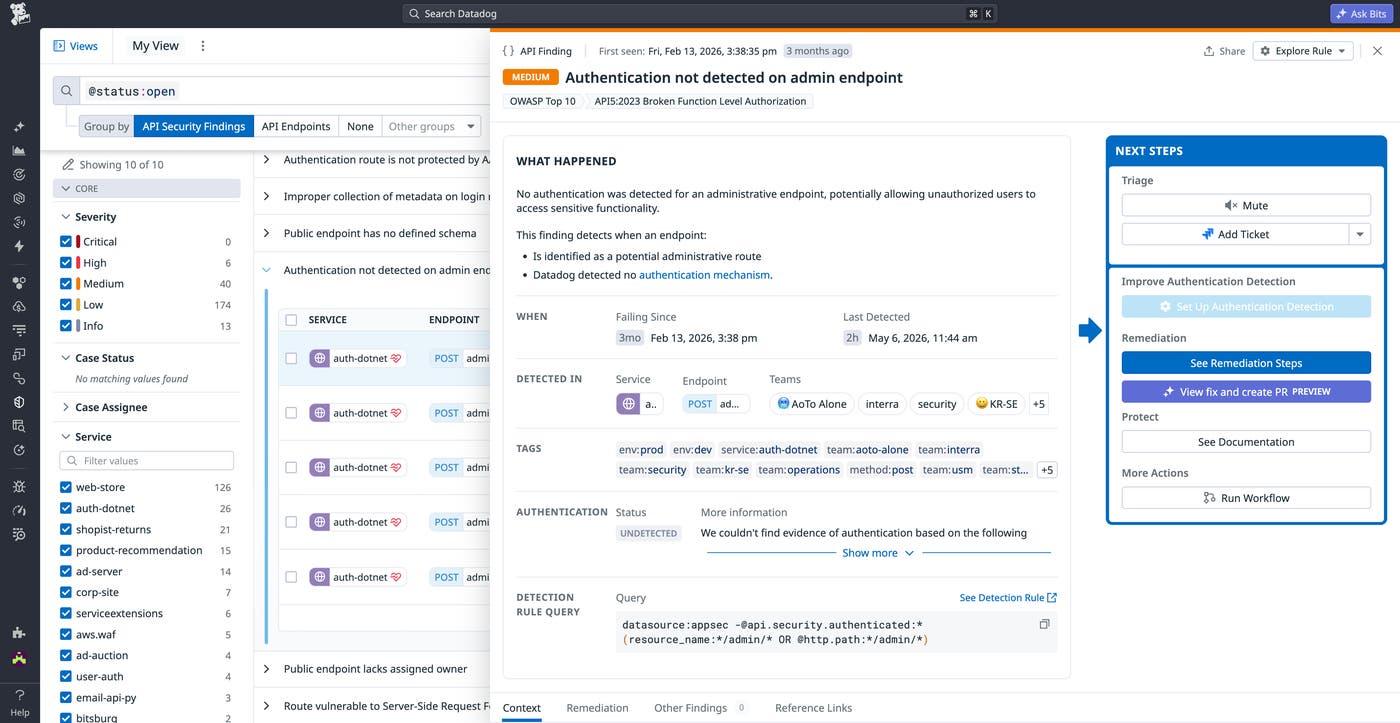
Each finding’s side panel links to the API endpoint and detection evidence, so reviewers can easily investigate the issue. In addition, the Next Steps section will point you toward improving your detections if an authentication gap is identified, or more significant remediation steps if an exposed endpoint is confirmed to lack authentication.
From within the side panel, you can open the same tagging configuration used in the API Inventory, with relevant fields prefilled. This allows you to update detection logic or validate assumptions without switching contexts.
Gain clearer visibility into your API authentication posture
Understanding which APIs have authentication enabled, and which do not, is fundamental to maintaining a strong security posture. Datadog App & API Protection detects authentication in your APIs based on clear, concrete evidence and enables you to adapt detection rules to match your environment. These updates help you investigate findings with confidence, reduce ambiguity, and focus on the issues that matter.
To learn more, visit our documentation. If you’re new to Datadog, sign up for a 14-day free trial.
