
Roxanne Moslehi
Product Manager

Barak Shoushan
Processes for handling work requests are often built around a collection of platforms. Users send requests through support portals, emails, and Slack messages; teams gather this information in a separate ticketing platform; and responders use their own tools to track work. With information spread over so many tools, it’s difficult to track requests consistently and help ensure the right teams receive the information they need to take action.
Datadog Forms and Case Management replace these fragmented processes with a single automated flow. Teams can create forms with required fields, conditional logic, and automatically populated values, then share them with internal and external users. Every form submission creates a case in Case Management, where teams can prioritize and assign work, trigger automations and notifications, and resolve requests.
In this post, you’ll learn how Forms and Case Management help teams:
Collect customer bug reports through public forms
Case Management is Datadog’s built-in ticketing system that gives teams a centralized place to track, assign, and resolve work. But not everyone who needs to submit a request uses Datadog. Bug reports in particular often come from multiple channels, including support tickets, customer escalations, Slack messages, and direct emails, making intake difficult.
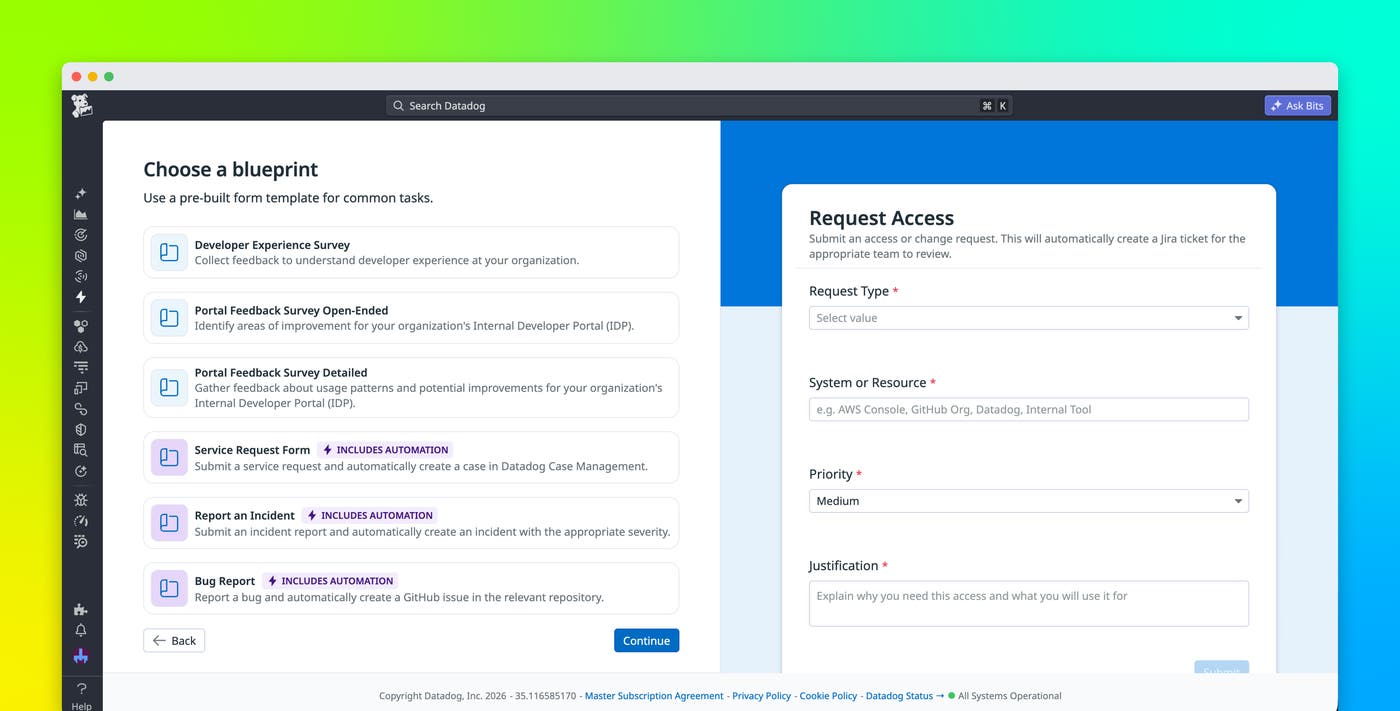
With Datadog Forms, you can create and share forms with Datadog users and the general public. You can build them from scratch, use preconfigured blueprints, or import data from an existing source.
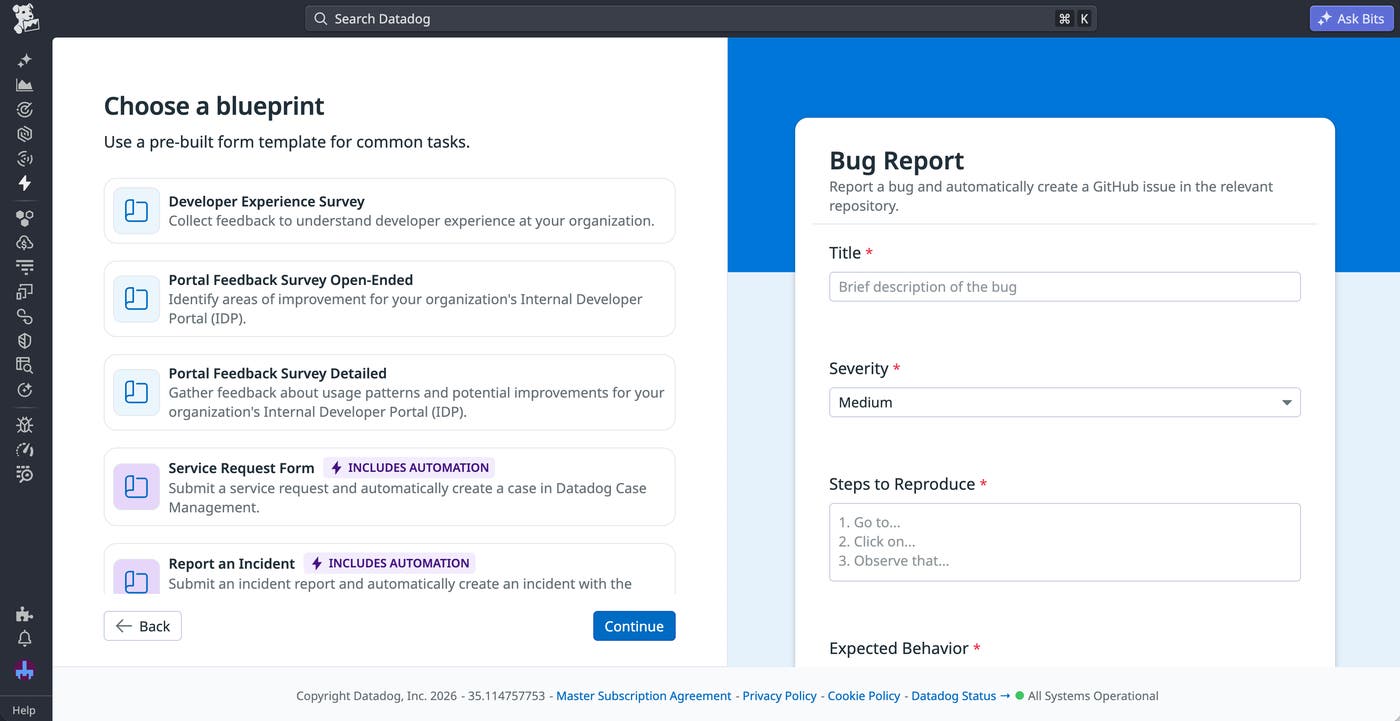
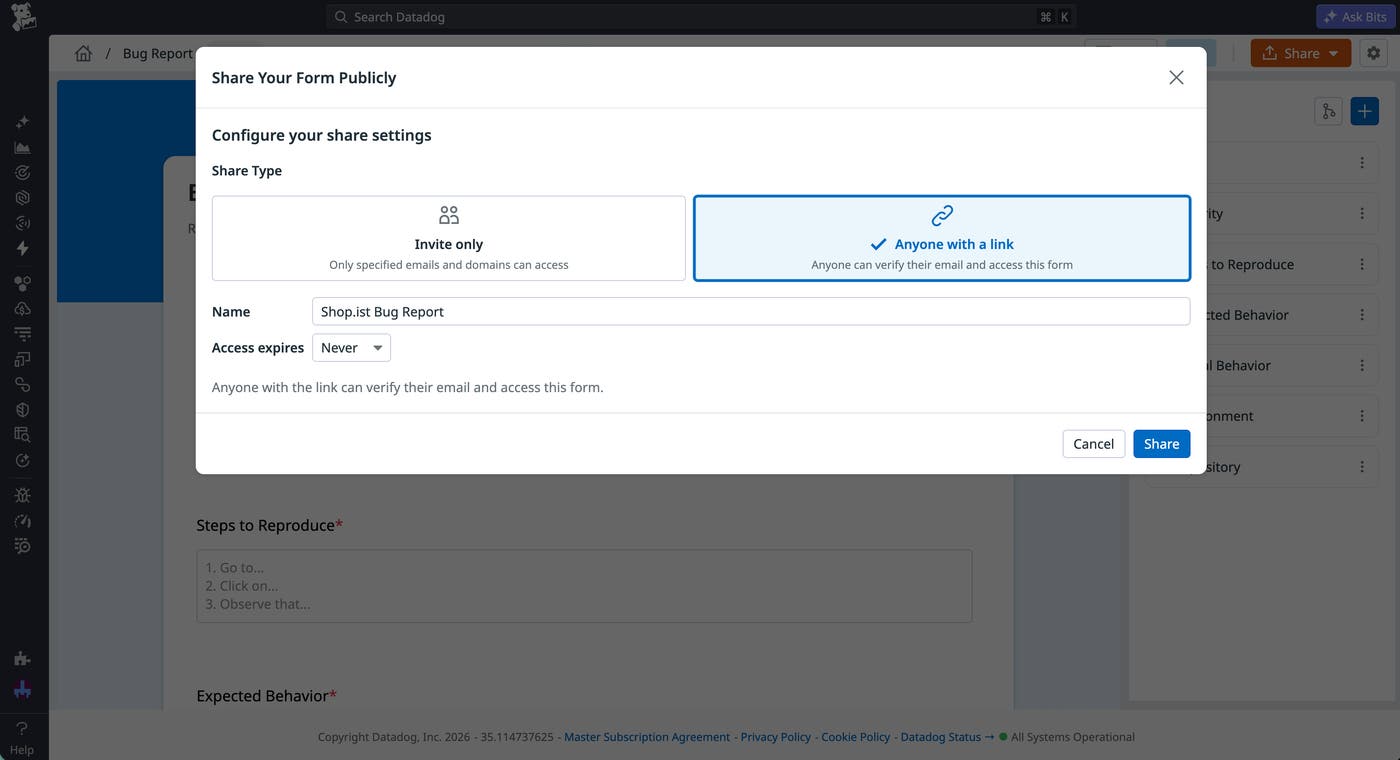
Public forms enable you to collect reports from submitters who do not have Datadog access, such as contractors, customers, partners, or employees outside of engineering teams.
Once the form has been submitted, Case Management automatically generates a case containing the request information. Here, you can use projects to organize your cases. For example, you create a project that collects every bug report for your product area into a centralized list that you can easily filter by status and priority.
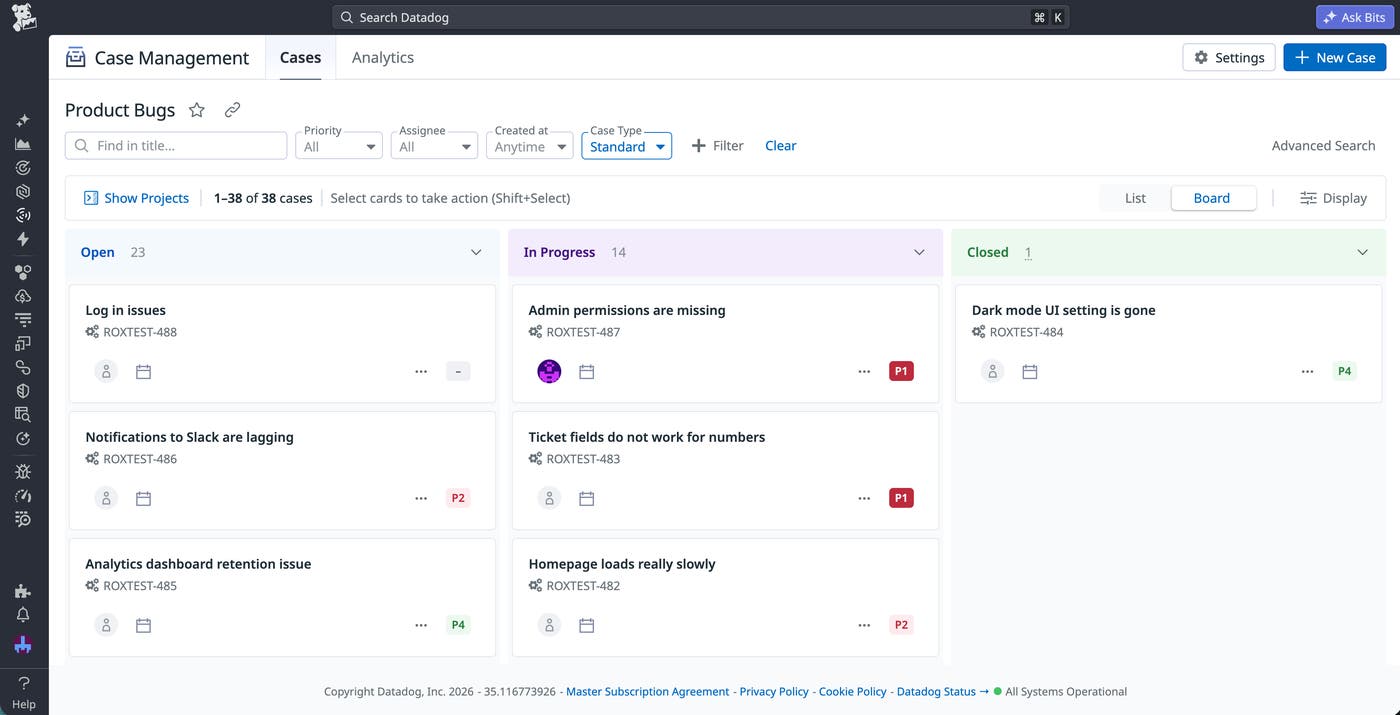
With Case Management, you can improve collaboration between engineering, support, and product teams and use automations to shorten your mean time to resolution (MTTR). You’re able to set up Slack notifications to track new bugs or when a case is blocked, configure workflows to automatically assign bugs to the correct owner, and link duplicate bug reports to help keep submitters stay informed about the status of the bug fix.
Standardize IT access requests with required fields
A common challenge for teams handling incoming requests is gathering the required information. For example, IT teams regularly receive requests for software licenses, hardware, VPNs, and onboarding tasks through multiple internal channels, such as email or chat messages. Gathering the necessary details often means several rounds of back-and-forth.
Datadog Forms improves the quality of incoming requests through required, optional, and conditional fields. You can require information that’s critical for evaluating and prioritizing projects, such as the request type, urgency, manager approval, and business justification. You can also include conditional logic that displays additional fields based on the kind of request being submitted. For example, VPN access requests may require device information, while software requests often need details about potential costs. Finally, you can add optional fields to capture extra context, such as user notes. To ensure that users are giving you the correct input, all of these fields support URL and email validation, minimum and maximum text lengths, and custom regular expression (regex) patterns.
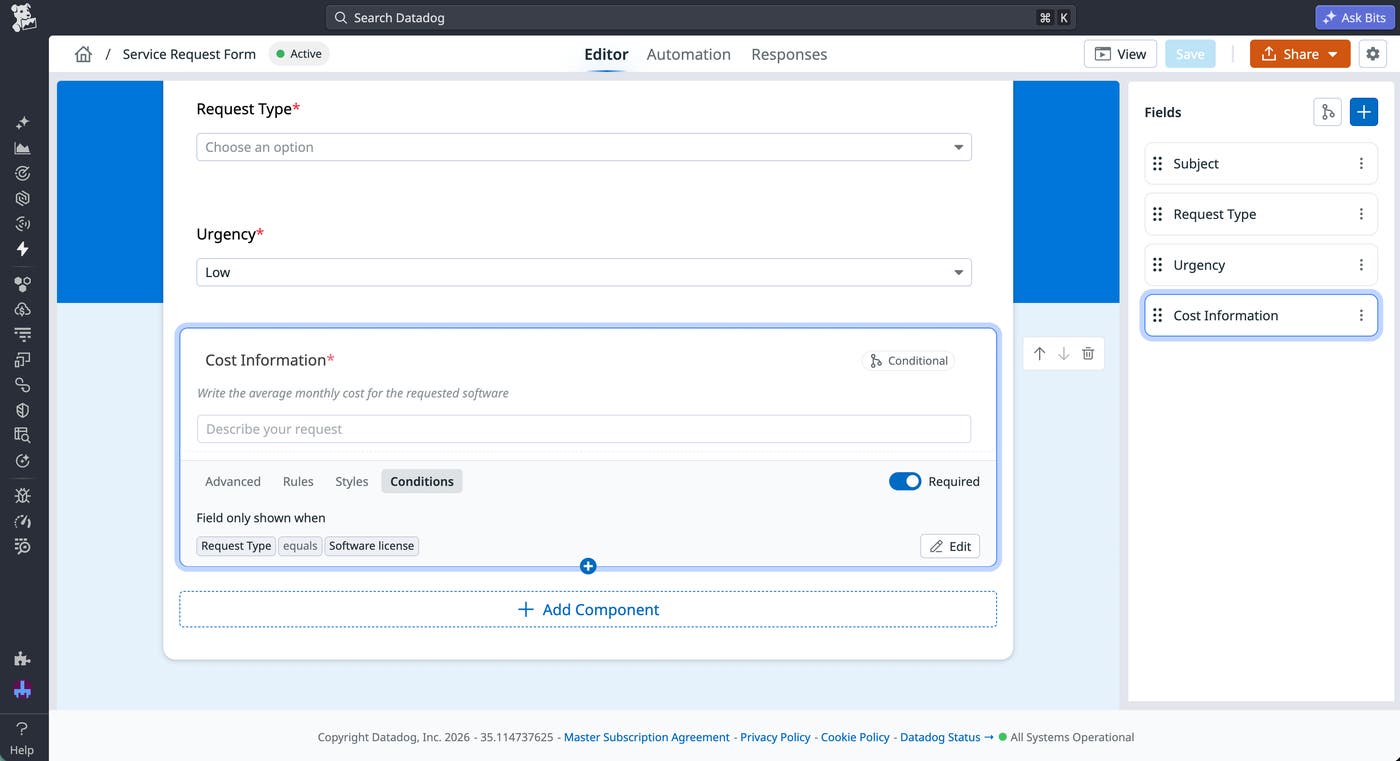
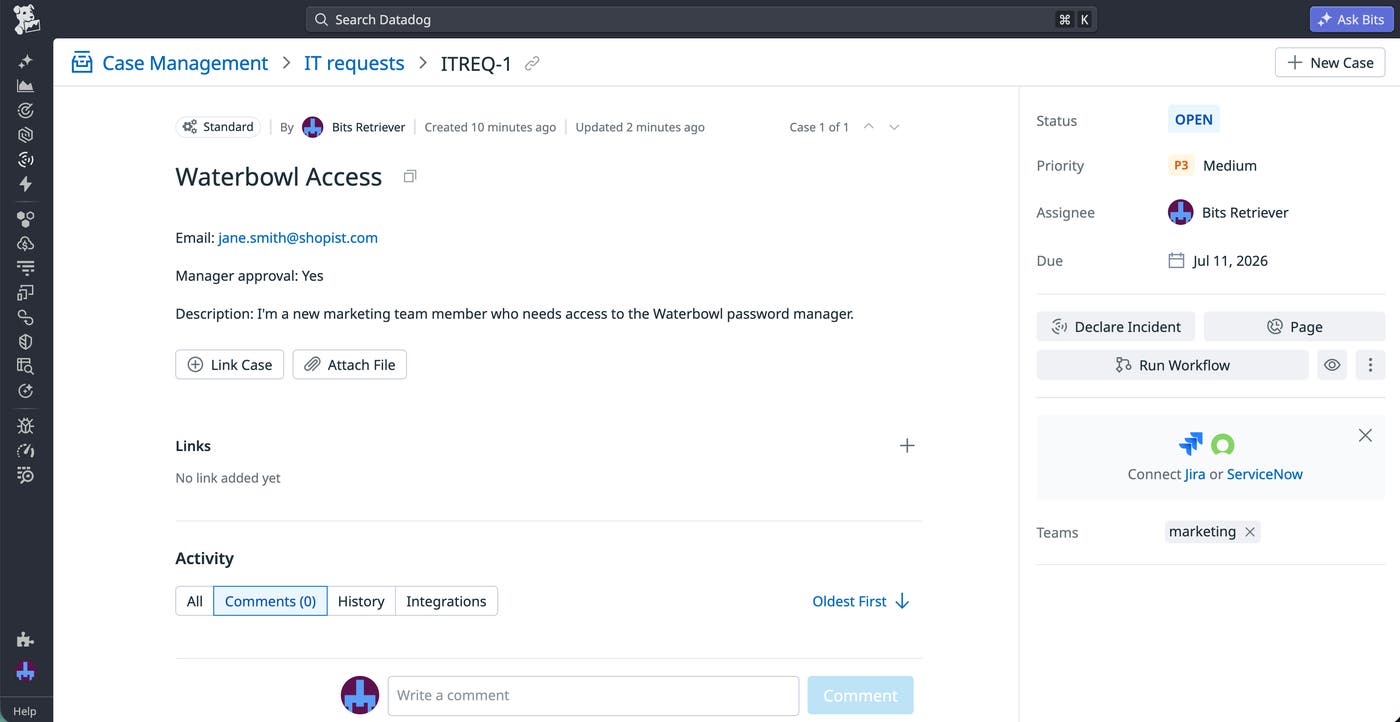
When an employee submits a form response, Datadog automatically populates the newly created case with the submitted fields and prioritizes it according to the indicated urgency. You can configure automation within Case Management that handles certain types of requests without human intervention. For example, these workflows can automatically validate service requests, provision the service, close the case, and notify the requester. For requests that require manual response, you can stay on top of particularly urgent cases by configuring Case Management to send IT teams alerts when high-priority requests arrive.
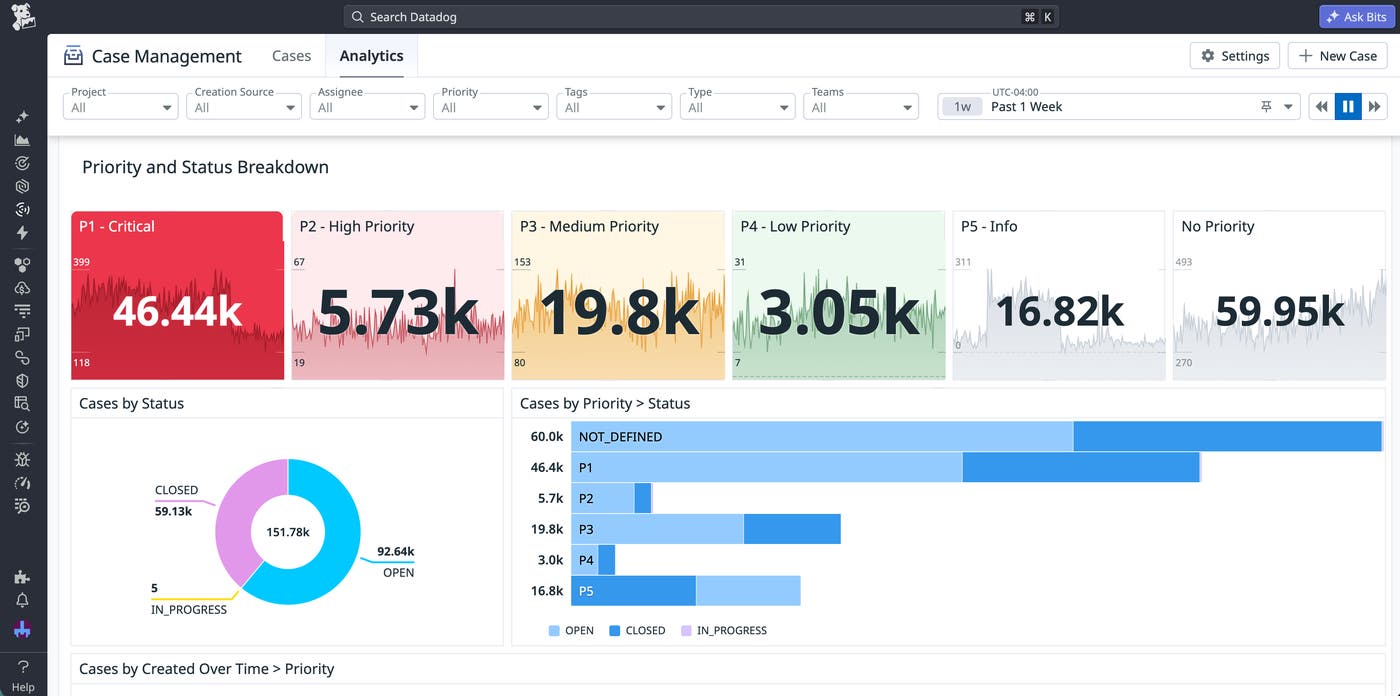
Once you route requests in Case Management, you can view out-of-the-box analytics that help you understand trends in your IT request workflows, including breakdowns by severity, response time, status, team, and other custom case attributes.
Additionally, you can create custom visualizations by accessing form responses through the Datadog API, the Action Catalog, DDSQL, and dashboard widgets. For example, you can create a dashboard that helps you analyze request categories and recurring onboarding issues. These visualizations surface patterns in the IT request process, such as repeated access requests, common blockers, or intake fields that need clearer guidance.
Build secure, centralized vulnerability workflows
Collecting request data is only the first step. Sorting through requests, assigning them to the correct responders, and acting on them quickly can be a challenge, particularly for time-sensitive issues. By integrating with both out-of-the-box and custom workflows, Case Management helps you move straight from intake to response.
Let’s say you work on a security team responsible for tracking vulnerabilities within your application and ensuring that they’re addressed. Your team already uses Datadog Cloud SIEM to automatically create cases for new security issues. However, they still need a process for collecting information from internal employees and external researchers. To handle these manual vulnerability reports, your team uses Datadog Forms.
Your security team’s vulnerability form collects key information such as affected services, vulnerability type, severity, and supporting evidence. Additionally, the form contains conditional fields for certain audiences, such as preferred contact methods for external researchers and affected environments for internal engineers. Case Management automatically pulls in all of this information and creates cases for your team to manage and resolve reported issues. You can then link these cases to workflows that help you automate resolution.
For example, you can create a workflow that automatically assigns cases to specific responders based on the type of vulnerability or the affected services. Your team can also link duplicate cases together when multiple users report the same issue, as well as periodically notify team members of unaddressed vulnerabilities.
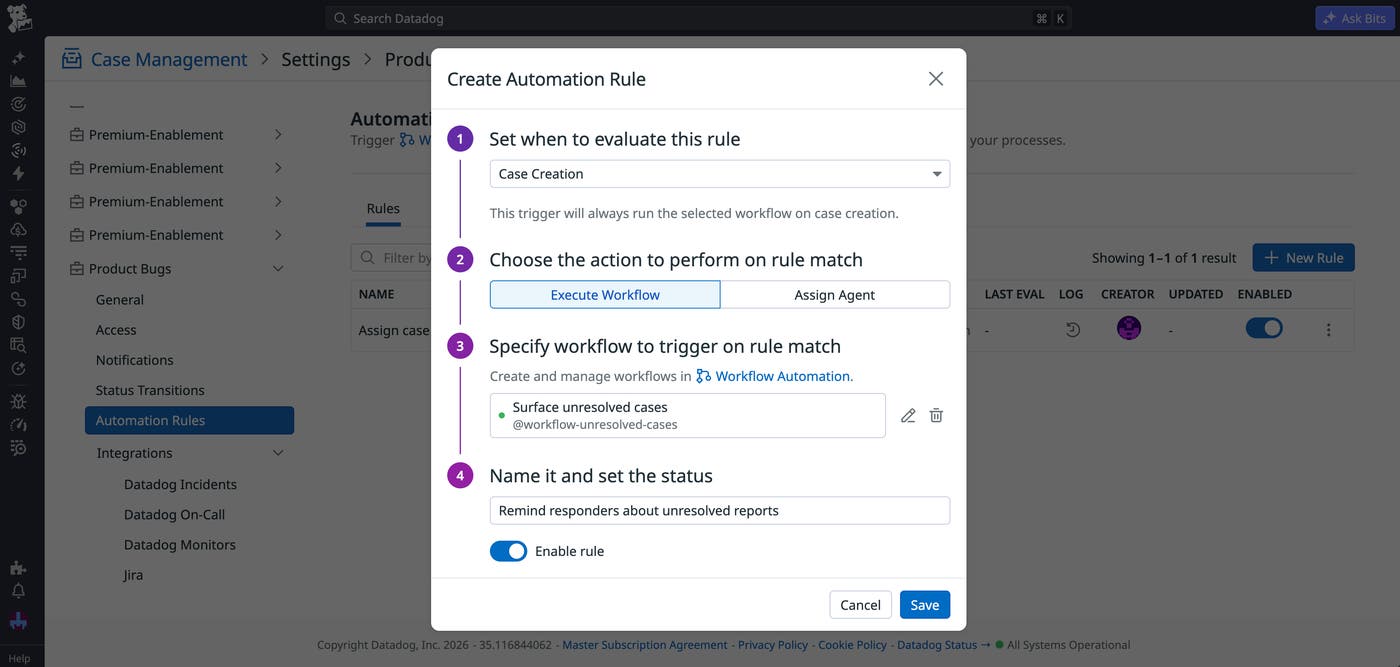
Additionally, you may want to enable automations that can help you quickly handle high-priority vulnerabilities that are likely to be exploited or have far-reaching impacts. Auto-escalating urgent vulnerabilities to incidents within Datadog Incident Management is one option, as is paging responders within Datadog On-Call whenever these requests come in.
Centralize request flows with Forms and Case Management
Datadog Forms and Case Management help teams address fragmented flows by connecting structured request processes directly to operational tracking and resolution. Public and internal forms make it possible to collect the information teams need up front, while automated case creation keeps work centralized inside Datadog.
The examples in this post demonstrate a few common scenarios, but Forms and Case Management support a wide variety of use cases. To get started, read the Forms documentation and explore the Case Management documentation.
Or, if you’re new to Datadog, you can sign up for a 14-day free trial.
