
Eitan Moriano

Vera Chan
Security operations teams manage a high volume of signals, often across multiple tools. Analysts may triage detections in one system, document progress in another, and coordinate remediation elsewhere. As context becomes fragmented, response times slow and the risk of missed threats increases.
Datadog Cloud SIEM brings detection, investigation, and response into a single, connected workflow. Analysts can move from any security signal in the Cloud SIEM Signal Explorer to a structured case in Case Management without leaving Datadog, collaborate using bidirectionally synced tools such as Jira, and automate response steps using Workflow Automation. Teams can also automate the transition from signal to case, reducing manual handoffs while keeping investigations anchored to the underlying telemetry.
In this post, we’ll look at how you can use Datadog Cloud SIEM to:
See case context directly in Signal Explorer
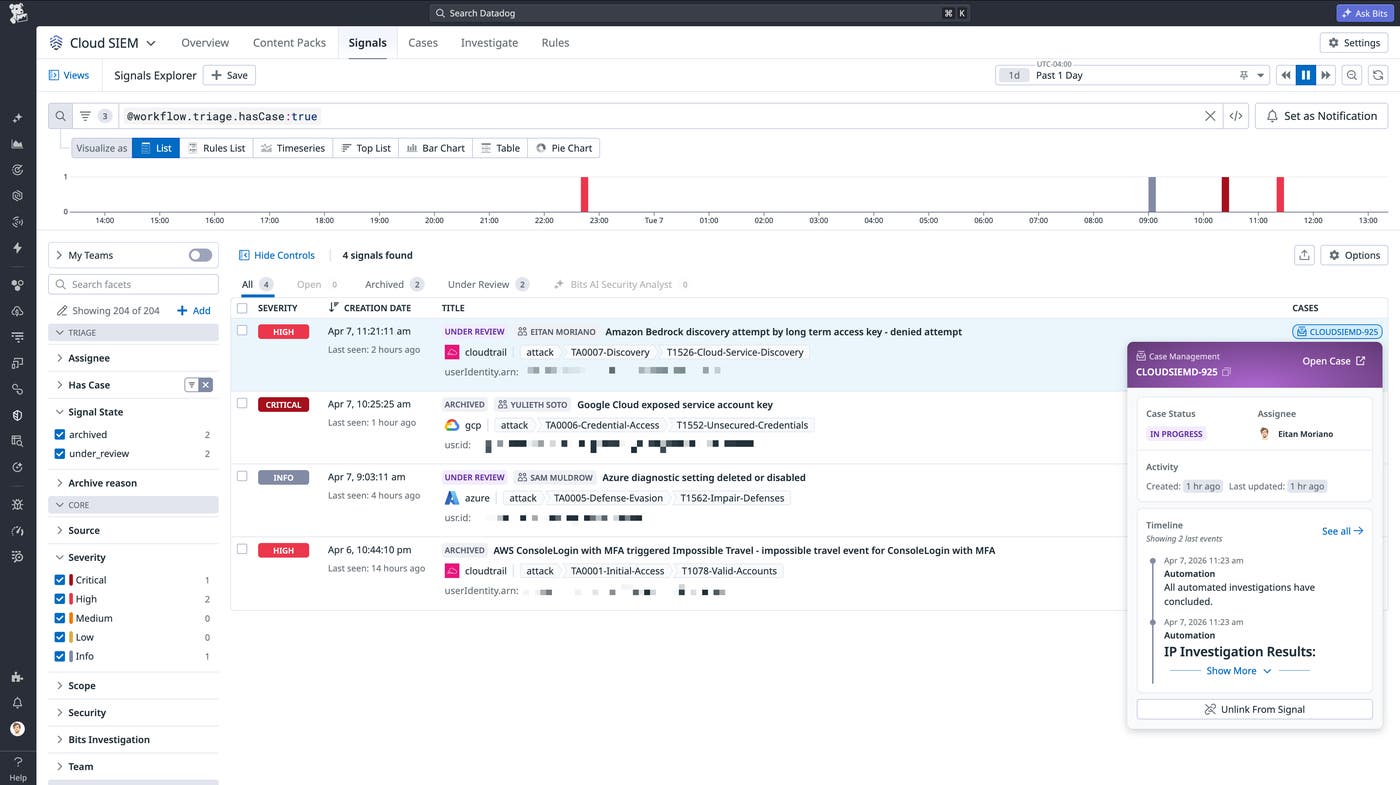
To avoid duplicating work or missing important handoffs, one of the first things an analyst needs to understand during triage is whether a signal is already being investigated. Cloud SIEM surfaces case context directly in the Signal Explorer queue, where analysts can see security detections by severity, time, and affected entities.
Each signal includes a Cases indicator that shows whether the signal is linked to an existing case. By hovering over the indicator, you can quickly view details such as status, ownership, and timeline, all without halting the triage process.
Escalate signals into structured investigations
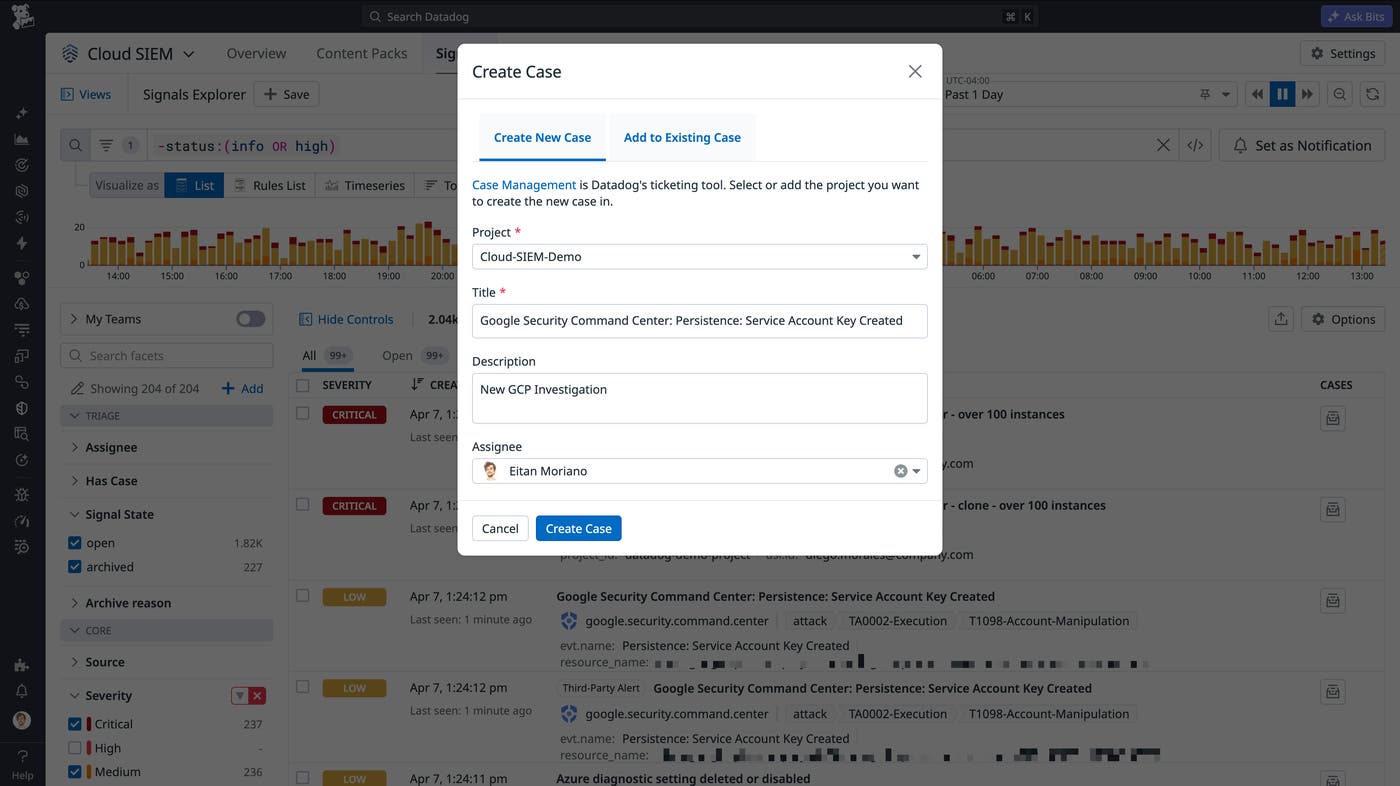
When a signal requires a full investigation, analysts can use Cloud SIEM to escalate a signal into a case directly from the signal page. The resulting case in Datadog Case Management is automatically populated with relevant context, including signal metadata and investigation details. This allows teams to move into a structured workflow immediately while preserving the full context of the detection.
Because the relationship between signals and cases is tracked, other analysts can see that work is already in progress. This shared visibility reduces duplicate effort and keeps investigations coordinated across the team.
Continue investigations from the Cases workspace
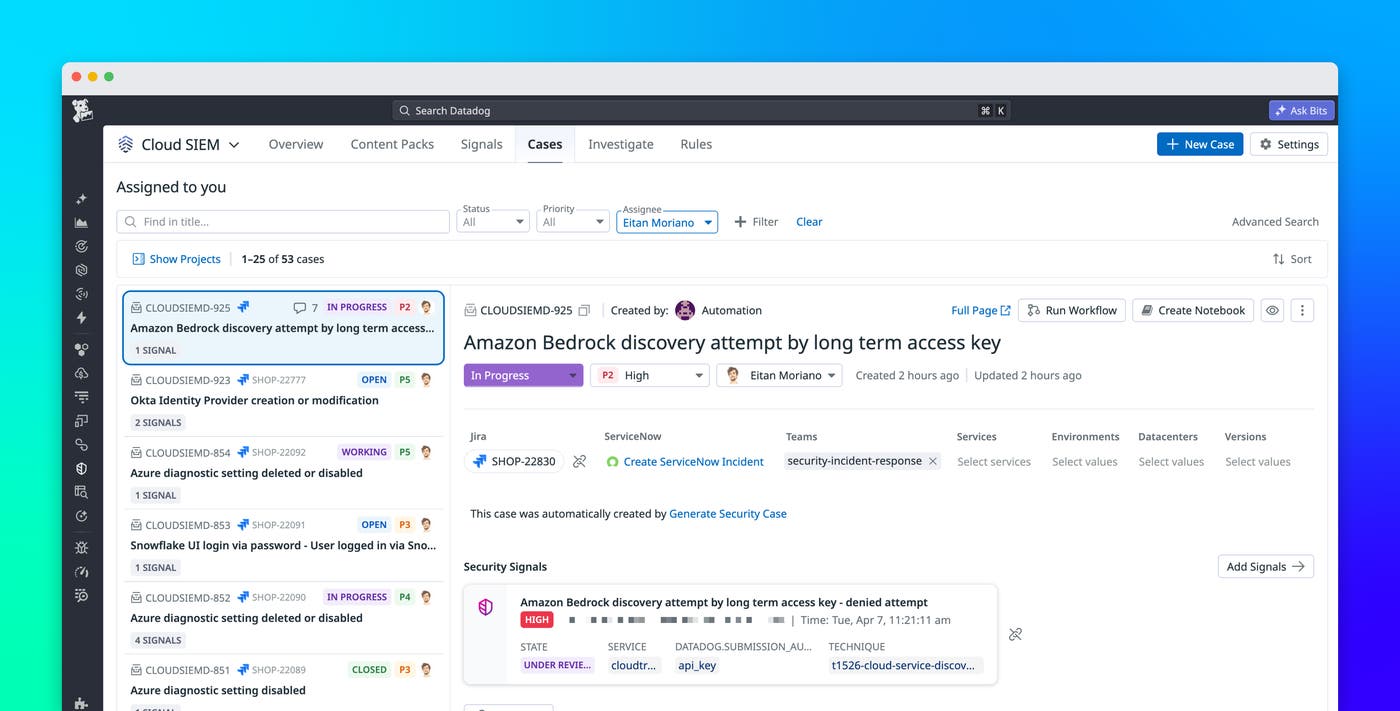
Once a signal is escalated, you can immediately start investigating by accessing the Cases workspace directly within Cloud SIEM. Instead of copying information into external tools, you can manage the full life cycle of an investigation alongside the logs, signals, and entity context that informed it.
From the Cases tab in Cloud SIEM, you can track ownership, status, evidence, and activity for all of your cases. This structure makes it easier to organize investigations and maintain a clear record of what has happened. It also gives security leads better visibility into team workload, including which cases are active, blocked, or resolved.
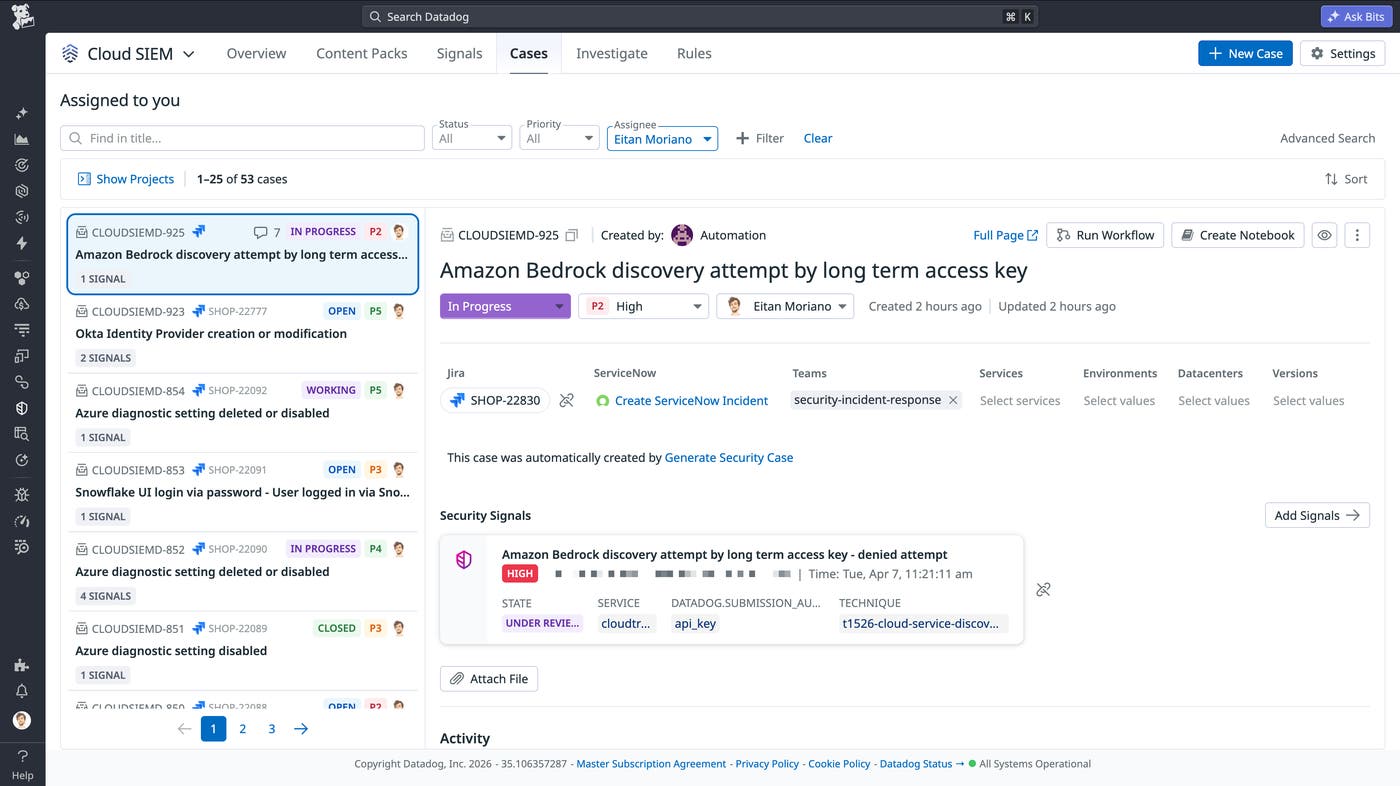
By keeping investigations in the same platform as detection data, teams reduce context switching and maintain a more complete view of each incident.
Collaborate across ticketing and messaging systems
Investigations often require coordination with teams outside the security organization. For example, engineers may need to deploy fixes, IT teams may need to rotate credentials, and cloud teams may need to update configurations. Datadog brings security analysts and their collaborators together where they already work, whether that’s a ticketing system like Jira or a messaging platform like Slack.
Datadog Case Management supports bidirectional syncing with ticketing systems using a one-to-one mapping between a Datadog case and a ServiceNow or Jira ticket. Updates made in either system, including status changes, assignments, and comments, are reflected in both places. This reduces manual work for analysts and keeps stakeholders informed with a consistent story of the investigation.
Slack is part of the same workflow: Datadog Case Management can automatically send notifications to a Slack channel, and replies in the thread are added to the case timeline in Datadog. This helps ensure that real-time discussions become part of the investigation record instead of being lost across separate tools.
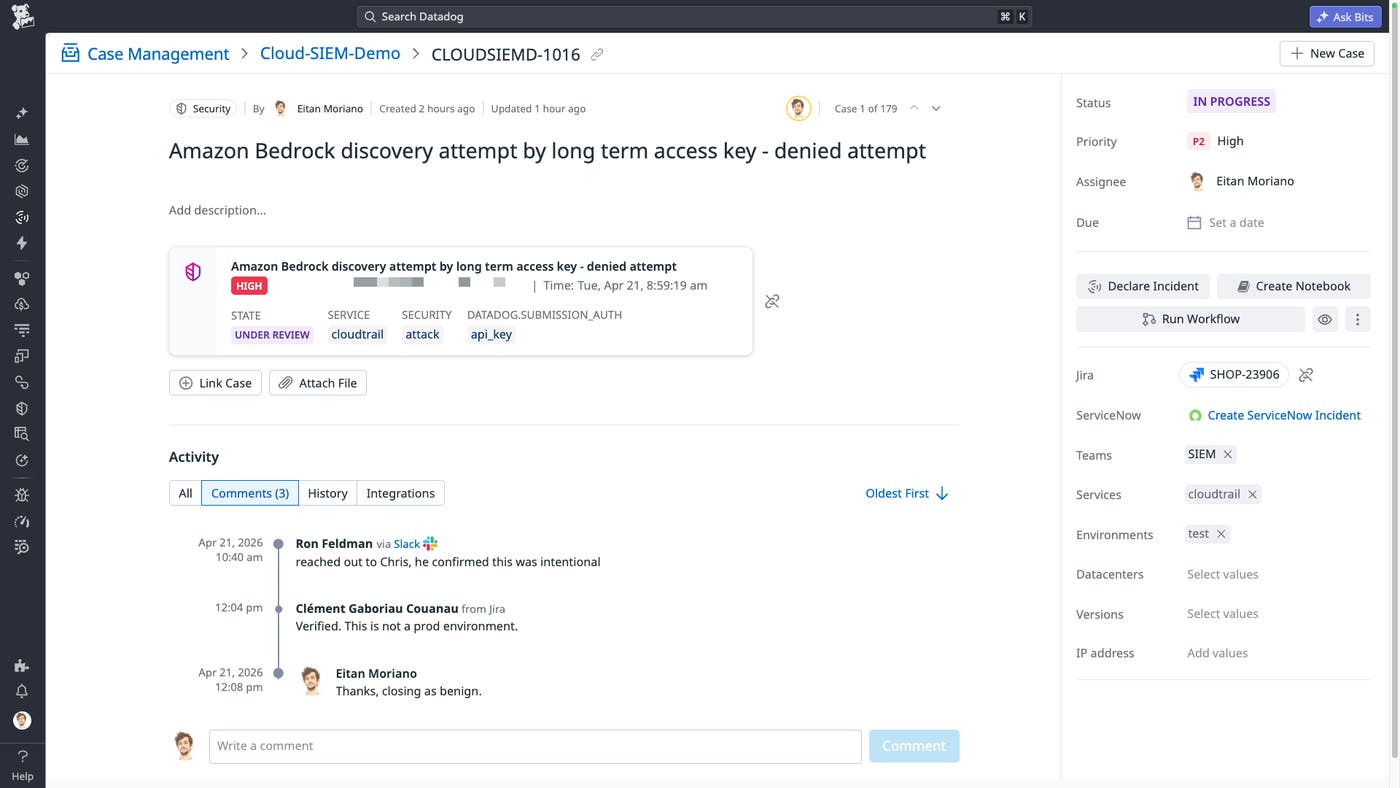
Together, these integrations create a consistent system of record for investigations, regardless of where your team collaborates.
Speed up case creation and response with automation
For high- and critical-severity detections, the decision to open a case often follows a consistent path based on well-defined signals. In these situations, relying on manual steps can delay response and increase analyst workload unnecessarily.
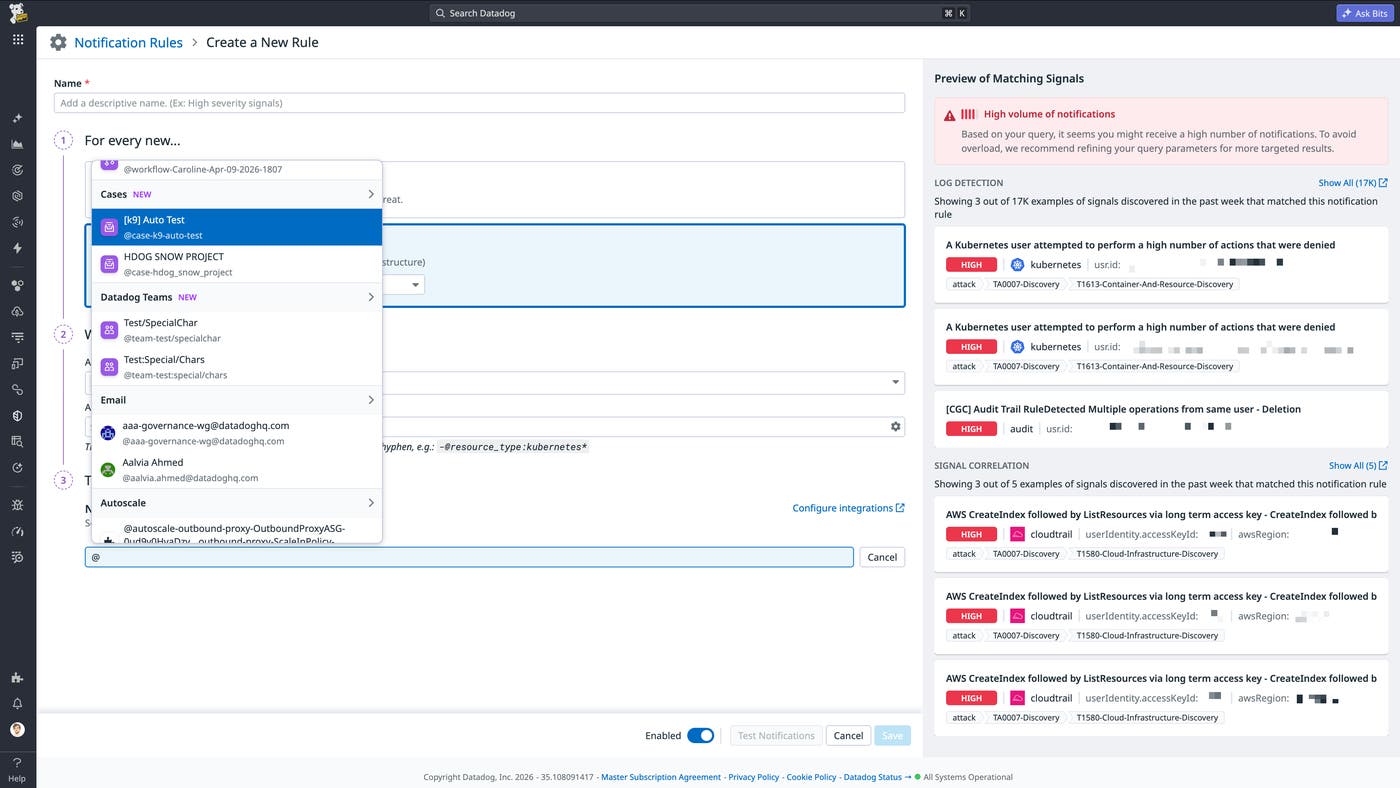
Cloud SIEM enables automatic case creation based on signal criteria through notification settings and automation rules. For example, a high-severity signal can immediately generate a case that is ready for assignment and investigation.
When you’re ready to initiate follow-up actions from an investigation, Datadog Workflow Automation reduces manual effort by enabling analysts to execute response steps directly from a case. Workflows can automate common tasks, such as collecting additional information, notifying the right responders, updating downstream tickets, kicking off remediation runbooks, or running custom agents. This helps teams move from investigation to action with fewer clicks and provides a way to standardize response processes across recurring incident scenarios.
Connect signals to investigations with a unified workflow
By connecting detection, investigation, and response workflows, Cloud SIEM reduces the friction that often slows security operations. Analysts can triage signals with full visibility, escalate the right detections into cases, and manage investigations without leaving Datadog. Collaboration across ticketing systems and Slack keeps teams aligned, while automation helps standardize response and reduce manual work.
To learn more, see the documentation for Cloud SIEM. If you’re new to Datadog, sign up for a 14-day free trial.
