
Neha Haresh
Product Management Intern

Gabriel Margolis
Software Engineer II

Brianna Wang
Software Engineering Intern

David Robert-Ansart
Senior Software Engineer
Teams use AI coding agents and Bits Chat to troubleshoot systems and handle complex tasks, often uncovering repetitive work worth automating. But turning those routines into workflows can still require switching tools and recreating context manually.
Through the Datadog MCP Server, Workflow Automation now lets you build workflows from Bits Chat or AI coding agents like Claude Code, Cursor, and Codex. These agents can use context from Datadog, your development environment, and the Datadog Action Catalog to build, run, and debug workflows where you already work.
In this post, we’ll show how you can:
Create workflows from Bits Chat across Datadog
Repeated operational processes often become apparent during an investigation. For example, an API gateway error spike may send your team through the same sequence each time. Your team might check recent deployments, inspect traces and downstream services, determine whether remediation is safe, and escalate when it is not.
With Workflow Automation and Bits Chat, you can turn those repeated steps into an automated workflow from the Datadog context where you troubleshoot the error. From the dashboard where you are investigating the spike, you can ask Bits Chat to build a workflow that runs whenever the relevant monitor alerts and describe your response steps.
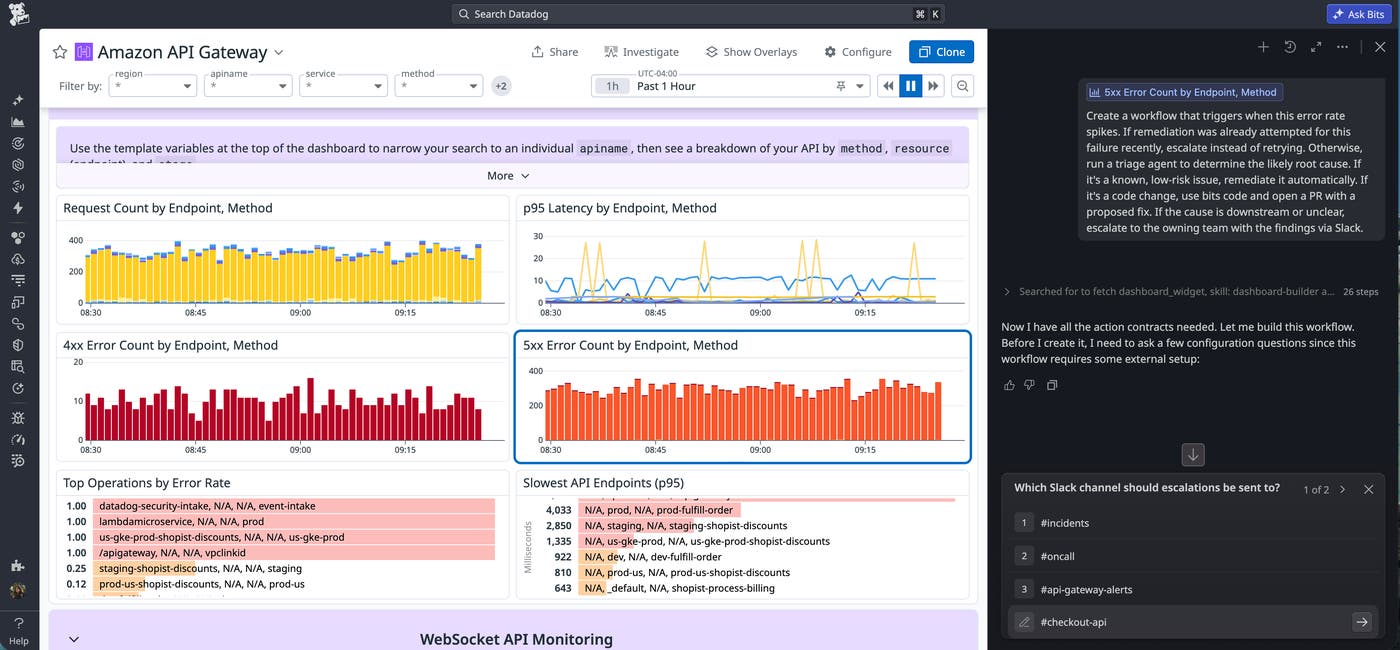
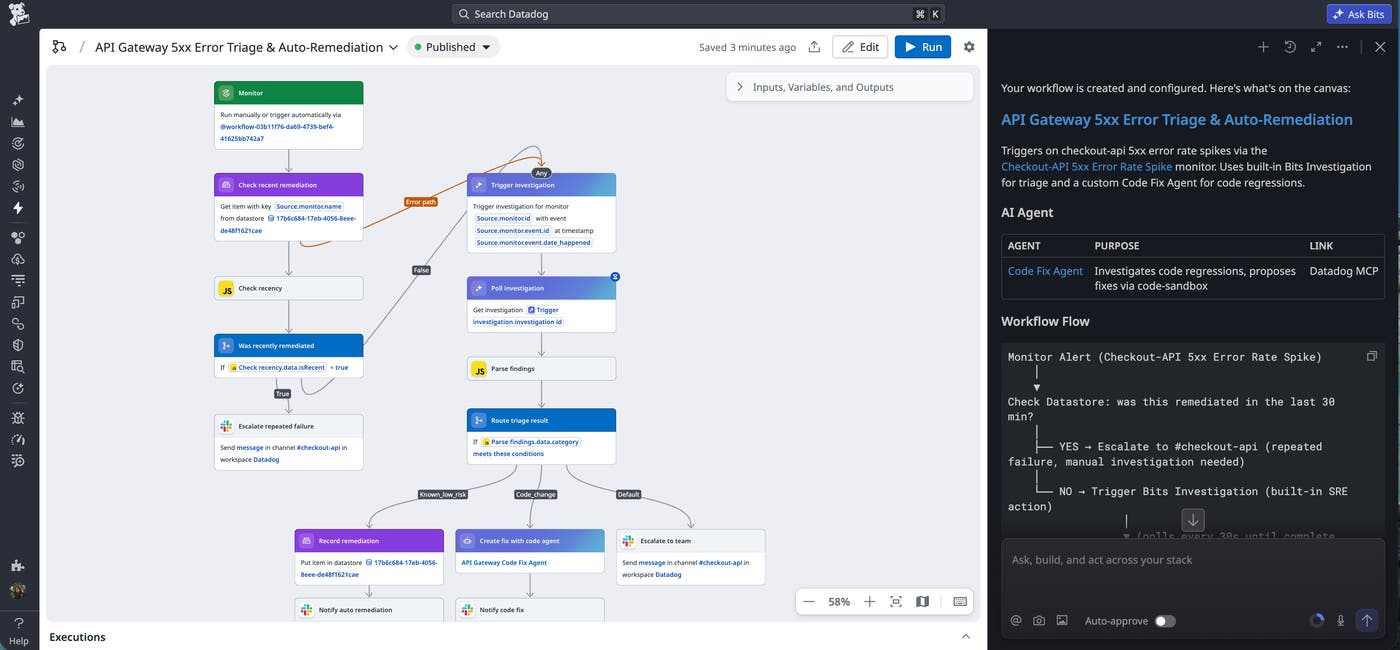
The workflow can first check whether remediation was recently attempted for the same failure. If so, it can escalate instead of retrying. Otherwise, Bits Investigation can examine recent deployments, error signatures, traces, and downstream service health to determine the likely root cause of the issue.
For a known failure, the workflow can run the appropriate remediation. If the investigation points to a code change, a custom agent can start a dedicated code session and open a pull request with a fix for review. If the cause is downstream or unclear, it can escalate to the owning team with the investigation findings attached.
Turn an investigation into a repeatable response
Bits Chat enables you to turn a repeated operational task into a workflow at the exact moment you recognize the need for automation. This same experience is available across Datadog, including Datadog Monitors, Incident Management, and Service Level Objectives. And because Bits Chat is context-aware across your Datadog usage, it can suggest multi-step tasks to automate as workflows.
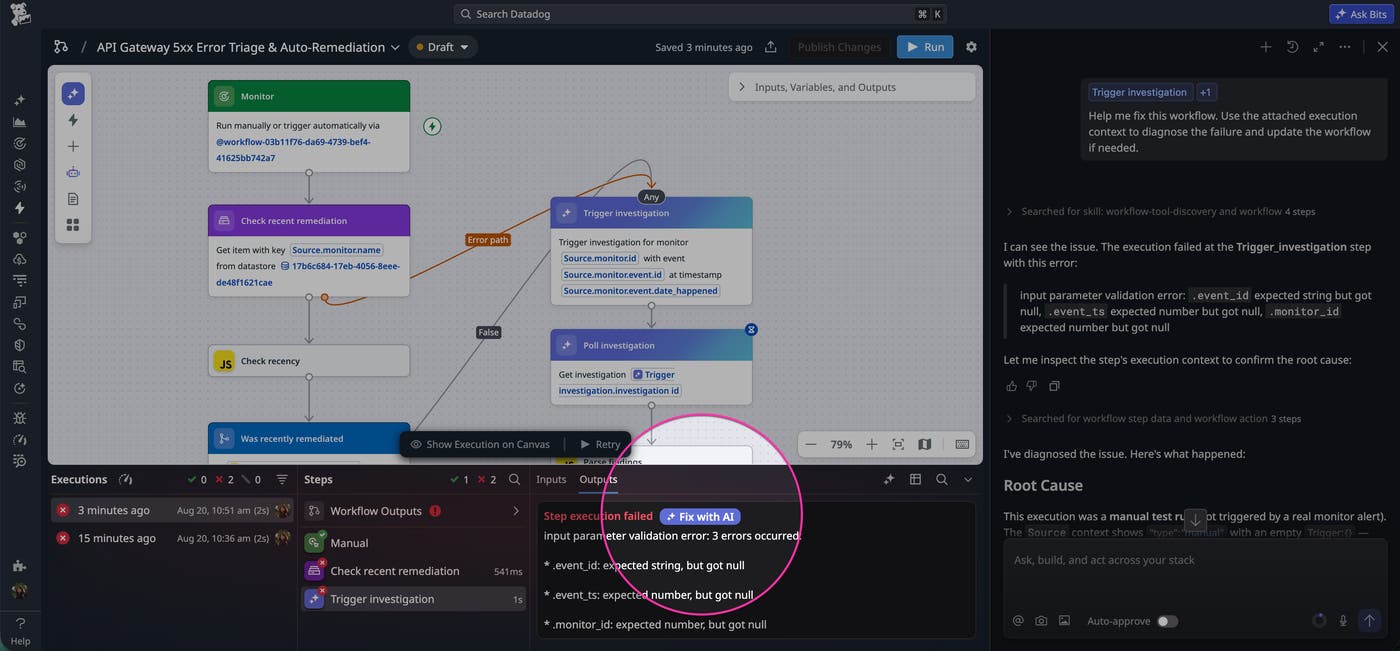
Bits Chat can also help you execute and maintain workflows after you create them. If a run fails, the Fix with AI option can inspect the execution, diagnose the issue, and help you update the workflow.
Build, run, and debug workflows from AI coding agents
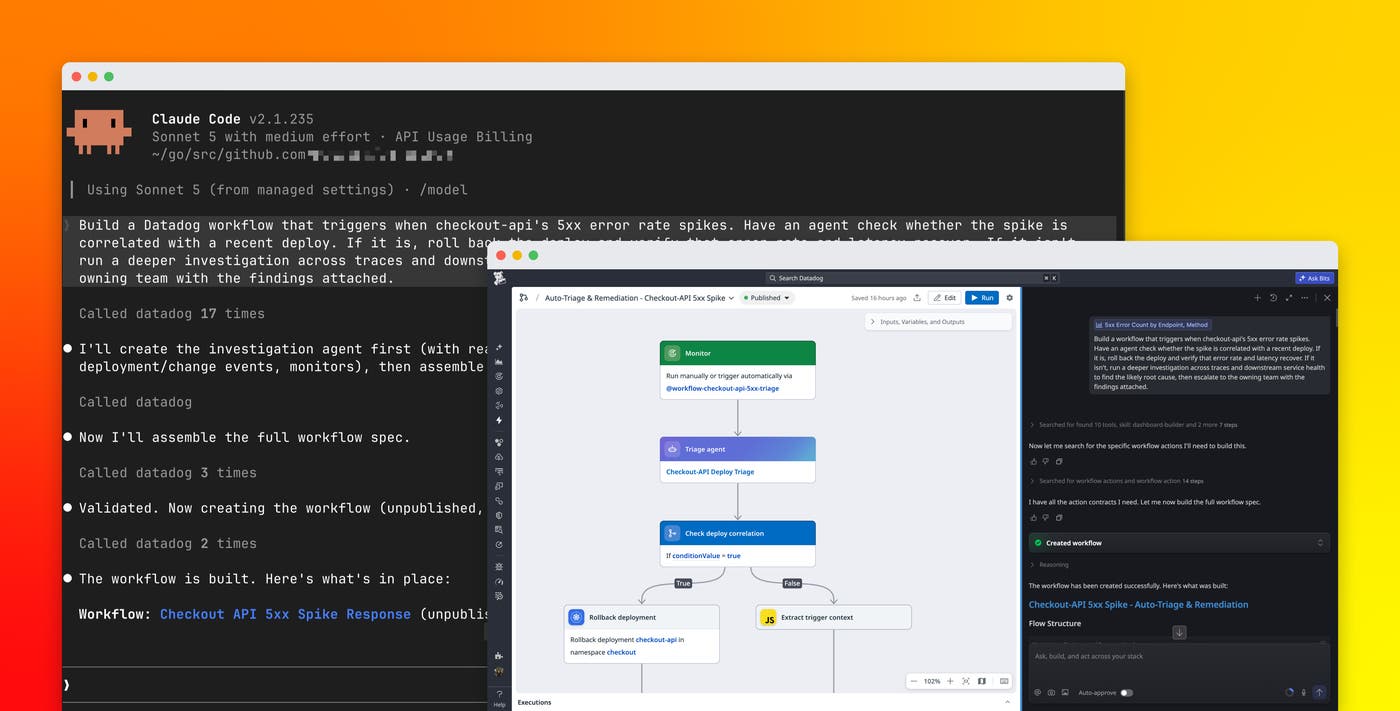
Your AI coding agent can also build a Datadog workflow without forcing you to leave that coding agent environment. Suppose you are using Claude Code to debug a frequent type of error spike and suspect a particular deployment caused the spike. You could ask Claude Code to build a workflow that automates a rollback in this scenario, as shown in the following image:
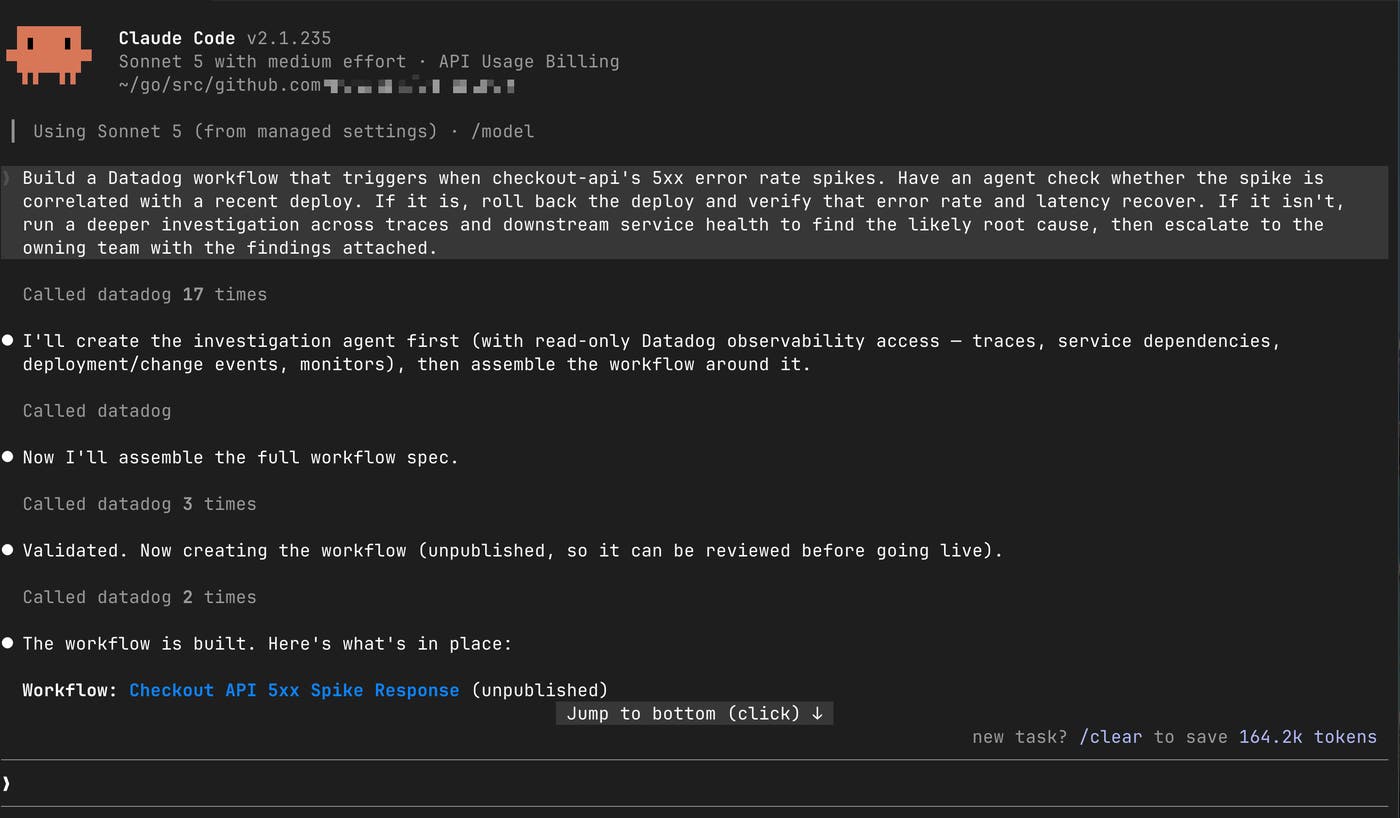
Claude Code can build a workflow that first uses a custom Bits Agent Builder triage agent to check whether the deployment is correlated with the error spike. If the check confirms the relationship, the workflow can run a rollback deployment, wait for the associated service to stabilize, and check error rate and latency again to verify recovery. If it doesn’t confirm the relationship, the workflow can trigger an investigation using a custom agent across traces and downstream service health. After the custom agent finds the likely root cause, it can then escalate to the owning team with the findings attached.
Build on existing Datadog context
Like Bits Chat, Claude Code or another coding agent can reference your existing monitors, Datadog workflows, integrations, and service metadata while generating the automation. For example, it can use a service’s existing monitors or tags to determine which signals should be checked after a rollback instead of requiring you to reconstruct that context.
You can then refine the workflow conversationally before publishing it. For example, you could ask Claude Code to change the recovery window, add a notification on either outcome, or adjust the conditions under which rollback is allowed. When the workflow is ready, the coding agent will validate its specification and return a link for review in Datadog.
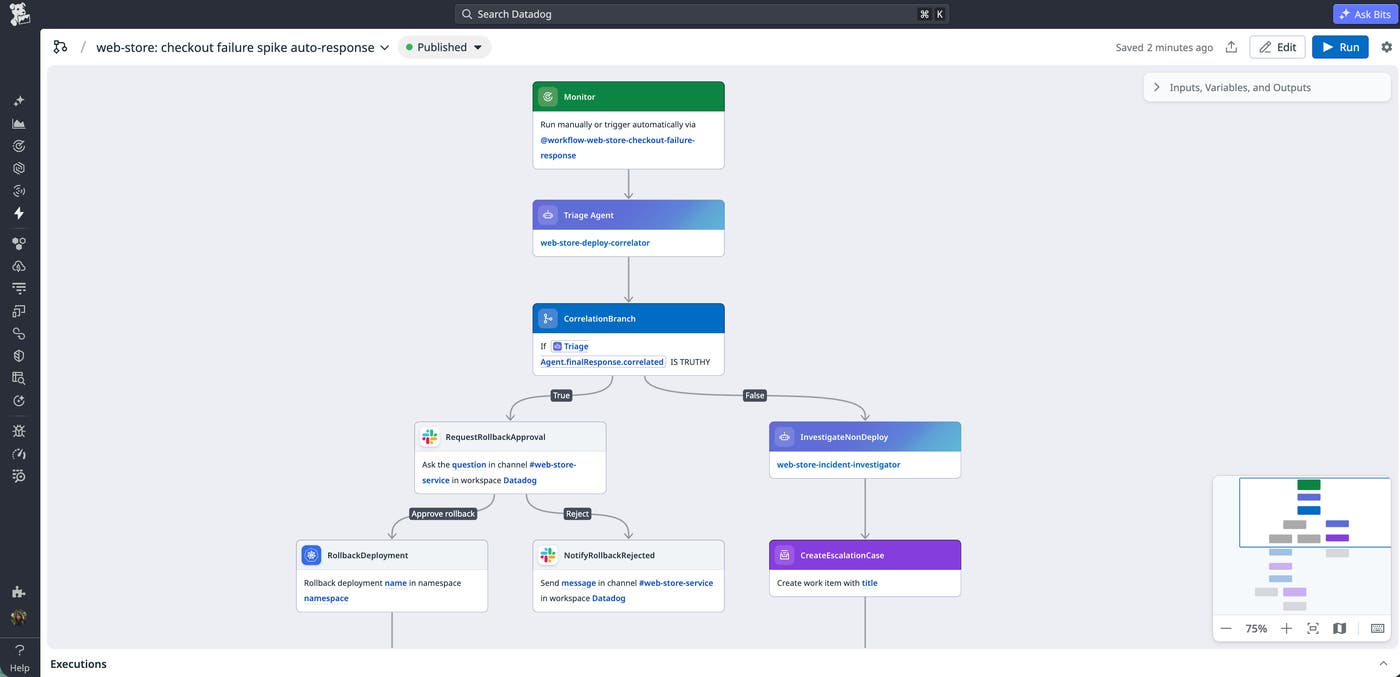
Execute and debug the workflow from Claude Code
Once the rollback workflow is published, Claude Code can execute it and inspect the resulting run. If the recovery check fails, for example, the agent can inspect the execution data to determine which step needs adjustment. It might extend the wait period if metrics have not stabilized yet, or narrow the investigation window if unrelated deployments are being considered. Claude Code can then update the workflow and validate the revised specification before you run it again.
Use workflows as tools for custom agents
Custom AI agents built with Bits Agent Builder can execute this same rollback workflow or create new workflows. For example, when a monitor flags checkout failures on the web-store service, an org-wide incident response agent can find and confirm the right workflow to run and invoke it. The workflow performs its own correlation check, runs the configured rollback when appropriate, and verifies recovery afterward.
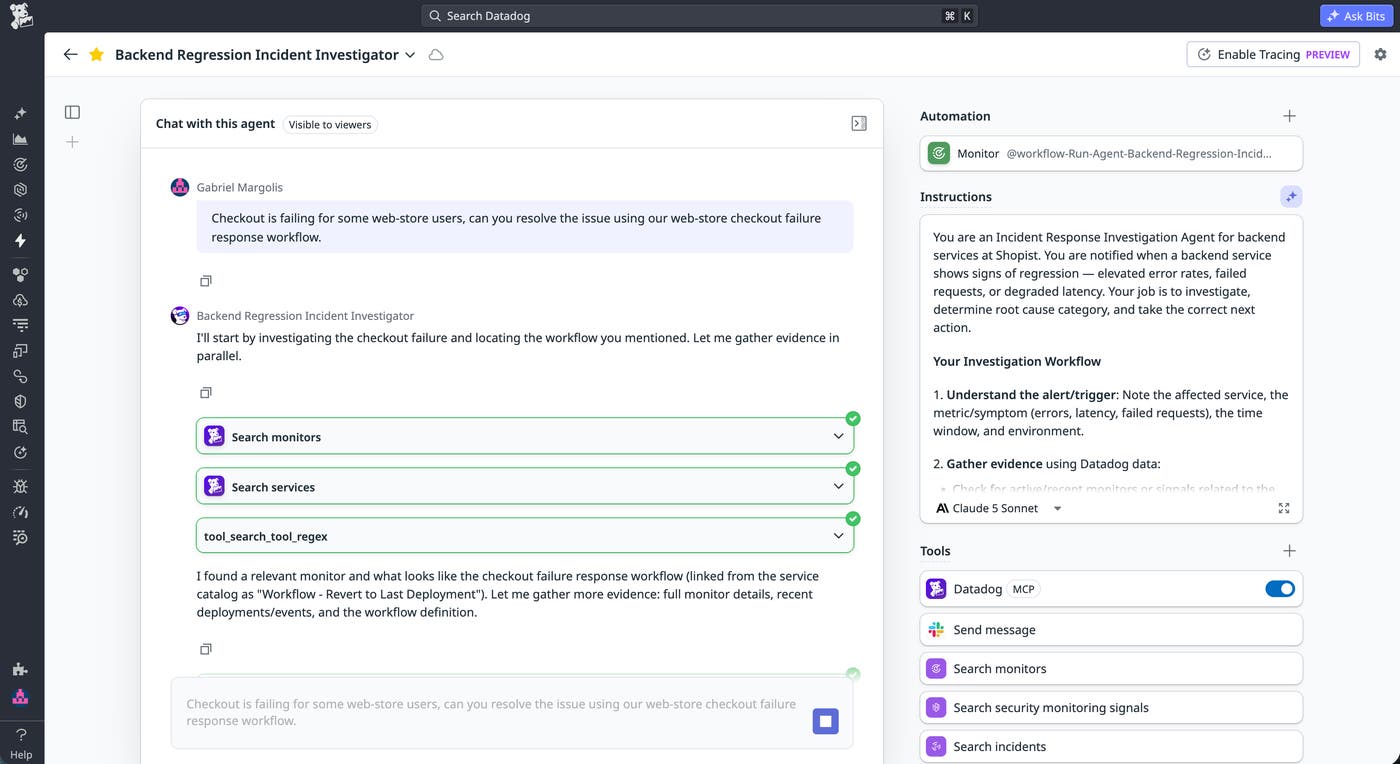
The result gives the agent concrete information to act on. If the service recovers, it can report the resolution. If the service remains degraded, it can escalate the incident instead. This lets the same workflow support both human-initiated and agent-initiated remediation while keeping the recovery check in just one place.
Create and update workflows from Slack
Automation opportunities can also emerge during team conversations. During an incident, responders may agree that a particular alert should always trigger an investigation, notify the owning team, or start another response step.
Instead of recreating that requirement later in Workflow Automation, you can mention the Datadog app in Slack and describe the workflow from the conversation. The Datadog app can use that conversation as context to help create or update the relevant workflow.
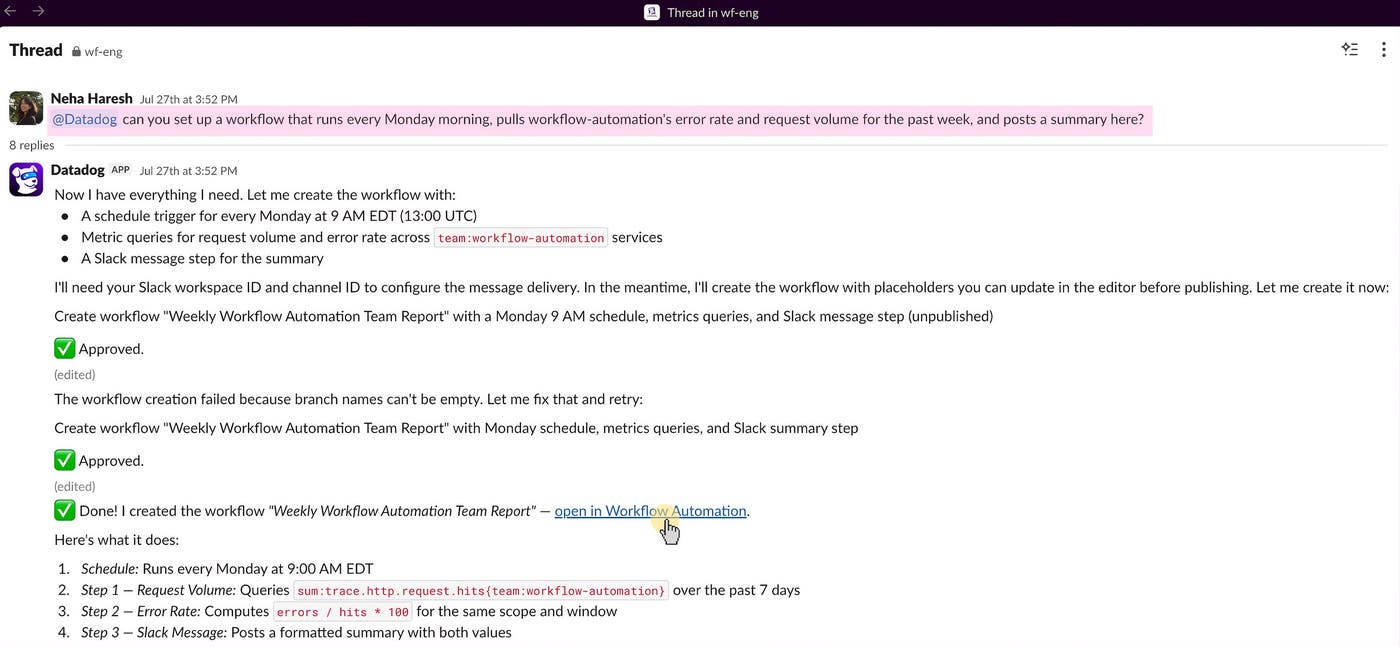
Build workflows with the context behind them
Datadog Workflow Automation lets you build workflows where you identify the need for automation. Bits Chat can use context from across Datadog, while AI coding agents can draw on context from your development environment.
To start building workflows, see the Workflow Automation documentation and explore the Datadog Action Catalog. You can also learn more about our new tools in the Datadog MCP Server setup documentation and create custom agents for your workflows with the Bits Agent Builder documentation.
And if you don’t have a Datadog account, sign up for a 14-day free trial to build operational workflows with Datadog.
