

Michael Cronk
Azure Managed Redis is Microsoft’s fully managed, enterprise-tier in-memory data store. It is designed for the low-latency caching, session storage, and real-time data needs of modern applications, including AI workloads that depend on fast vector and embedding lookups. Because user-facing applications often query Redis directly, even small regressions in latency, hit rate, or memory pressure can degrade the user experience.
Datadog’s Azure Managed Redis integration gives teams full visibility into the activity, utilization, and performance of their cache instances, with no agent to install. Once the integration is configured, Managed Redis metrics flow into Datadog automatically and populate out-of-the-box (OOTB) dashboards and monitors.
In this post, we’ll explore how to:
Monitor Azure Managed Redis metrics
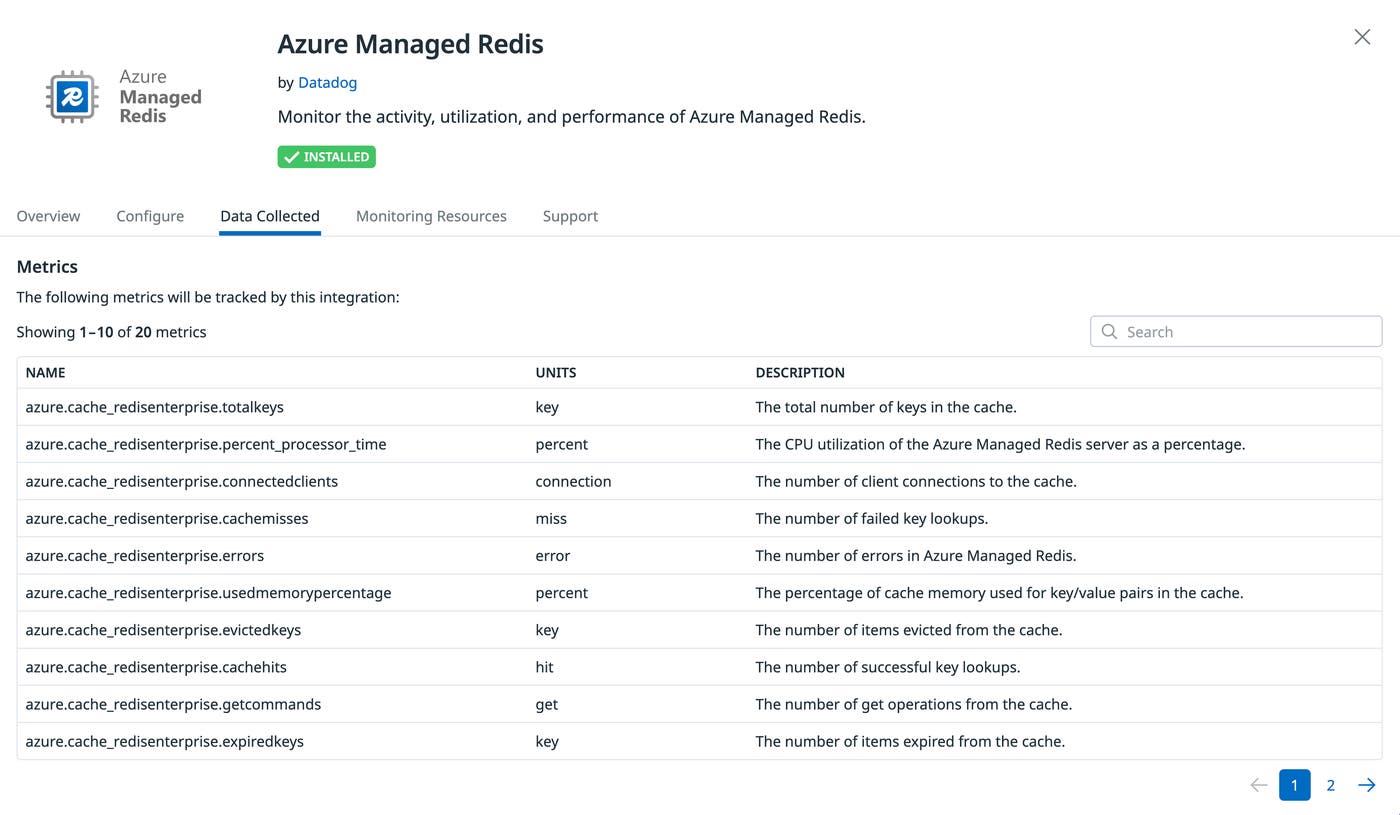
After you enable the integration, Datadog begins collecting more than 20 metrics across every Managed Redis cache in your Azure environment. The OOTB Azure Managed Redis Overview dashboard organizes the metrics into views that help you understand workload activity, cache efficiency, resource pressure, latency, and availability across your Redis deployments.
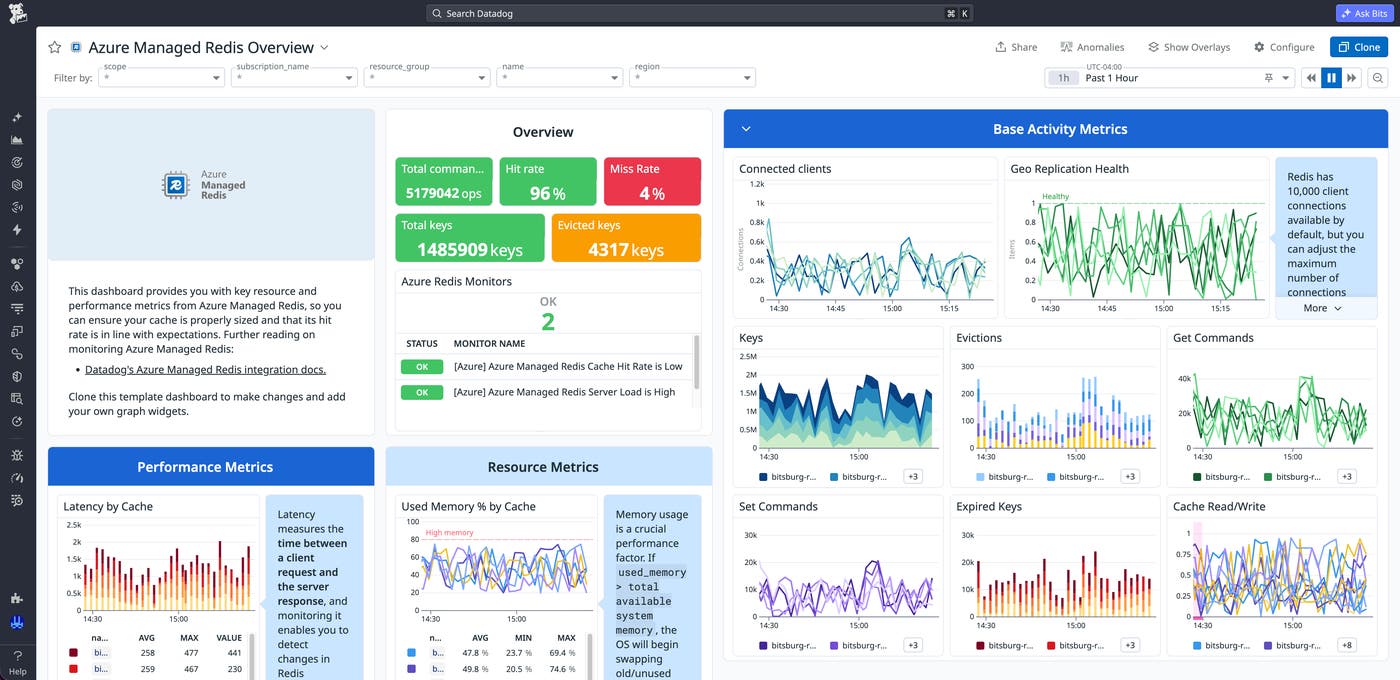
Workload metrics such as operations_per_second and connectedclients help teams understand traffic patterns and connection volume, while cache efficiency metrics like cachehits and cachemisses provide visibility into how effectively the cache is serving requests. Resource and performance metrics such as usedmemorypercentage, server_load, and cache_latency help identify memory pressure, saturation, and emerging latency issues before they affect applications.
Catch performance regressions before they affect users
Many Redis problems show up as latency before they show up as errors. The Azure Managed Redis Overview dashboard pairs cache_latency with server_load and percent_processor_time so that you can tell whether a slowdown is driven by the cache or by upstream traffic.
For example, consider an API team that notices p99 latency increasing on a checkout endpoint. The dashboard shows server_load sustained above 80% on the cache that backs the session store, while operations_per_second and connectedclients have both spiked after a marketing push. The team scales up the cache, and the latency decreases within minutes.
To move from reactive troubleshooting to proactive alerting, you can use the integration’s recommended “Azure Managed Redis server load is high” monitor. When server_load crosses your threshold, the alert fires with the cache name and region pre-populated, so responders can quickly investigate the issue.
Optimize Azure Managed Redis cache efficiency and capacity
A healthy Redis deployment depends as much on what’s in the cache as how fast the cache responds. The dashboard surfaces hit rate, miss rate, evictions, and used memory percentage together so that you can spot the patterns that quietly degrade performance:
Falling hit rate with steady traffic suggests that time-to-live (TTL) values are too aggressive or that the working set has outgrown the instance.
Rising
evictedkeysalongsideusedmemorypercentagenear 100% means that the cache is under memory pressure and starting to drop frequently accessed keys.Climbing
totalkeyswith flatcachehitspoints to keys being written but never read, a common sign of stale serialization paths or orphaned application code.
The recommended “Azure Managed Redis cache hit rate is low” monitor watches the hit-to-miss ratio and alerts you when efficiency drops below your target, giving you a leading indicator of latency problems before users feel them.
Get started monitoring Azure Managed Redis
The Azure Managed Redis integration is one of Datadog’s many Azure integrations, including Azure SQL Managed Instance, Azure Service Bus, and Azure OpenAI. It helps you monitor and optimize cache efficiency and identify performance issues before they affect users. To learn more, read the Azure Managed Redis integration documentation.
If you’re new to Datadog, you can sign up for a 14-day free trial to start monitoring your Azure Managed Redis caches.
